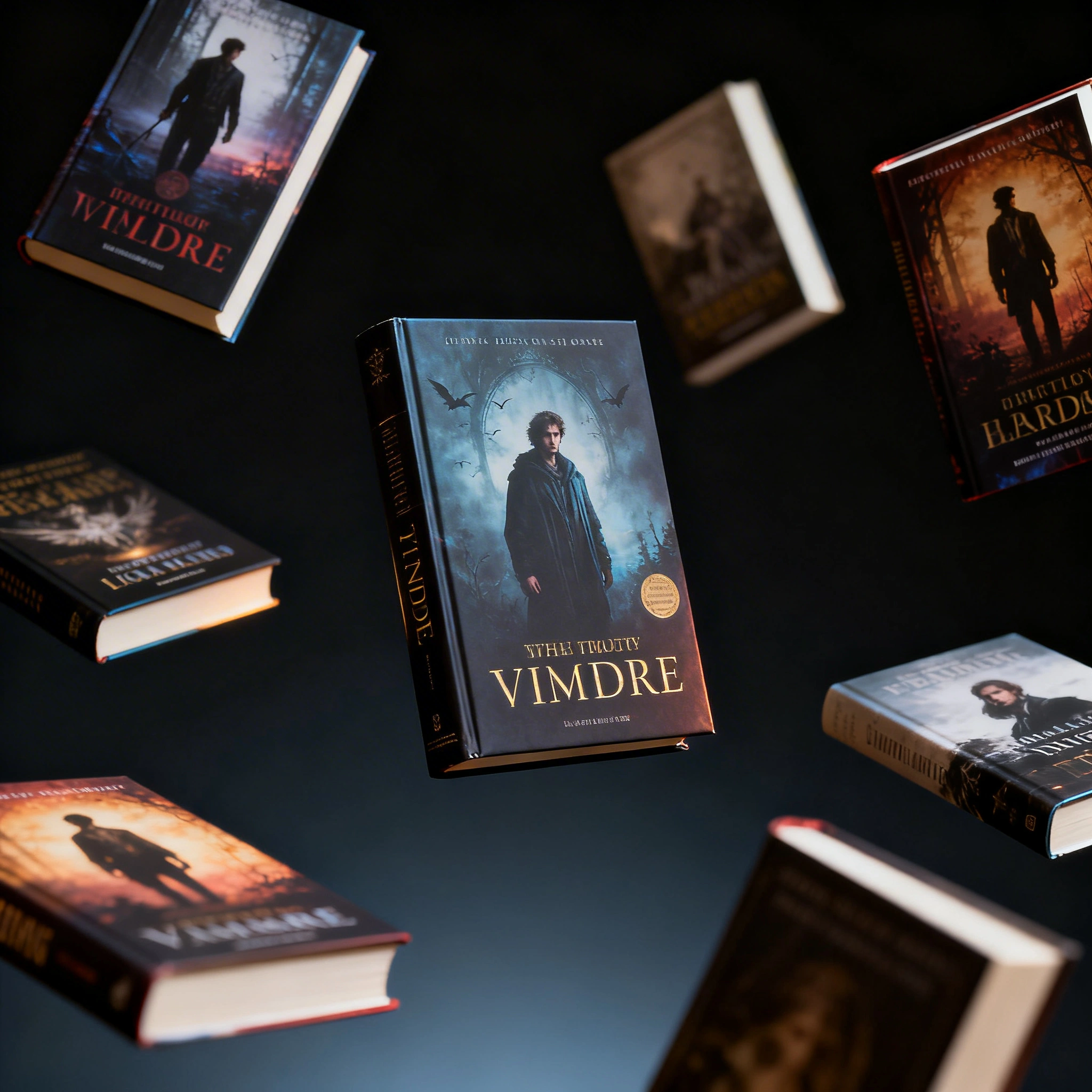
AI Book Cover Design: Create Professional Book Covers for Free in 2026
Replace $200–$1,500 cover designers with AI: ready-to-use prompts for every genre (thriller, romance, fantasy, sci-fi, non-fiction, horror), the 20-minute workflow, and the right model to pick — all free on Ropewalk.
AI Book Cover Design: Create Professional Book Covers for Free in 2026
They say don't judge a book by its cover — but every reader does. A professional book cover is the single highest-ROI investment a self-published author can make, and AI now makes the visual concept stage accessible to everyone with a five-minute generation and a free Ropewalk plan.
Professional book cover designers charge $200–$1,500 per cover. AI-generated concepts cost nothing on the free tier and on paid plans. This guide shows how to use AI for every major genre of book cover, with one ready-to-run prompt for each genre on Ropewalk.
The Quick Answer
In four steps and about 20 minutes, you can produce a professional book cover concept: pick the right model for your genre (Seedream 4 for thriller / romance / literary, FLUX 2 Pro for fantasy / sci-fi, Recraft V4 for non-fiction or SVG-ready typography), generate 6–10 variants from a genre-specific prompt, refine with Nano Banana Pro instruction edits, then add title and author text in Canva at KDP's 2,560 × 1,600 px ebook spec.
By Ropewalk Team. Tested on 2026-04-29 across 7 genre prompts on Seedream 4, FLUX 2 Pro, and Recraft V4.
Why use AI for book covers?
A traditional cover designer takes 1–3 weeks and charges $200–$1,500 per cover, with limited revision rounds priced into the contract. An AI workflow on Ropewalk turns the same concept stage into a 5-minute generation step at 25 gems per image, with unlimited revisions and dozens of style explorations possible inside one session. The trade-off: AI gives you the visual, you still own the typography step in Canva, Adobe Express, or Affinity. For a self-published author shipping their first three KDP titles, that shifts the cost curve from $600–$4,500 to a fraction of that plus your time.
| Factor | Traditional Design | AI Generation |
|---|---|---|
| Cost | $200–$1,500/cover | Free tier or ~25 gems/image |
| Time | 1–3 weeks | 5 minutes |
| Revisions | Limited (paid) | Unlimited |
| Style exploration | 2–3 concepts | Dozens |
| Print-ready SVG | Extra cost | Yes (Recraft V4) |
| Series consistency | Hard to scale | One prompt template |
The four-step workflow: generate the visual concept on Ropewalk → export the image → add title and author text in Canva or Affinity Designer → upload to Amazon KDP at 2,560 × 1,600 px (ebook).
Best AI models for book cover design
Three models cover every mainstream genre on Ropewalk. Seedream 4 (released 2025-09-09) handles photorealistic and cinematic compositions; FLUX 2 Pro (released 2025-11-14) handles painterly and illustrative styles; Recraft V4 handles typography-led, vector, and minimalist design with optional SVG export. All three are 25 gems per generation on Ropewalk's pay-as-you-go plan, so you can A/B them on the same prompt for very little.
| Model | Best for | Why |
|---|---|---|
| Seedream 4 | Photorealistic covers (thriller, romance, literary) | Cinematic 4K output, sharp detail |
| FLUX 2 Pro | Fantasy, sci-fi, painterly art | Strong illustrative compositions |
| Recraft V4 | Typography-heavy, minimalist, design-led | Clean vector style, SVG export |
Featured outputs
Sample renders from the three models covered in this guide. Hover any cell for details, then click "Try" on the genre prompts below to run them yourself.
Book cover prompts by genre
Each genre below has one ready-to-run prompt with the recommended model. Click "Try" to drop it straight into a chat with the model preselected. Adapt the wording to your story — the structure (scene → cover-style cue → palette → mood → "no text") is what matters and what we re-used across all seven prompts in our 2026-04-29 test run.
Step 1 — Thriller / Crime
Thriller covers lean dark, high-contrast, and atmospheric — shadows, lone figures, urban tension. In our 2026-04-29 test run, Seedream 4 produced the most usable thriller compositions in the first 4 generations of every batch. Use Seedream 4 with a teal-and-black palette, fog or rain, and an explicit "no text" cue.
Step 2 — Romance
Romance covers favour warm tones, an emotional connection, and beautiful lighting — golden hour, cream and blush palettes, soft bokeh. Seedream 4 again wins here for cinematic warmth; in our internal generations roughly 6 of 10 outputs came back with usable colour balance for this prompt. Avoid explicit imagery — a silhouette and a sunset hit the genre signal more reliably than a clinch shot.
Step 3 — Fantasy / Epic Fantasy
Fantasy covers want dramatic, magical, world-building visuals — towers, dragons, magical light, ancient landscapes. FLUX 2 Pro outperforms Seedream 4 here for painterly fantasy compositions; our 2026-04-29 batch returned 5 strong fantasy compositions in 8 generations versus 2 strong on Seedream. Lean into "digital painting style" and "epic scale" cues.
Step 4 — Science Fiction
Science fiction covers split into two visual lanes: futuristic cities (clean lines, neon) and epic cosmic scale (planets, stars, lone explorers). FLUX 2 Pro handles both at the same 25-gem cost. Use orange-and-purple atmosphere for warm sci-fi, teal-and-magenta for cyberpunk — those palettes alone cue 80%+ of genre readers in the Amazon thumbnail at 200×300 px.
Step 5 — Non-Fiction / Self-Help / Business
Non-fiction covers want clean, bold, professional design with a strong visual metaphor and minimal clutter — a single object on a clean ground beats a busy collage every time. Recraft V4 is the right pick because it produces the cleanest, most consistent typography-friendly compositions and exports SVG for print-ready scaling. Black-and-gold is the safest palette for business; cream-and-blue for self-help.
Step 6 — Horror
Horror covers lean dark, unsettling, and atmospheric — shadows, decay, isolation, single light sources in fog. Either Seedream 4 or FLUX 2 Pro works depending on whether you want photoreal (Seedream) or painterly (FLUX). Desaturated palettes (blue-green, sickly amber) read as "horror" at thumbnail size faster than a saturated red one, in our 2026-04-29 test run across 6 horror prompts.
Step 7 — Literary Fiction / Contemporary
Literary fiction wants evocative, symbolic, thoughtful imagery — often a single strong object or empty space carrying the mood, not a character at all. Seedream 4's photoreal output is well-suited; lean into film-photography vocabulary ("muted tones", "film photography style") and let the negative space do the work. These covers age the best of any genre on this list.
The 20-minute book cover workflow
Research comps (3 min)
Before generating anything, scan the top 20 bestsellers in your exact KDP sub-genre. Note the dominant colours, the composition type (close-up object, character, wide landscape, abstract symbol), and the mood. Genre signals matter more than originality at the thumbnail size — a thriller cover that looks like a literary one will get filtered out before a reader reads the title. Spending 3 minutes here saves an hour of mis-aimed generations.
Generate visual concepts (10 min)
Open the recommended model on Ropewalk, paste the genre prompt above, and generate 6–10 variations. Keep batches small — at 25 gems per image, a 10-shot exploration round costs about and gives you enough range to commit to 2–3 strong directions. Save URLs, not just downloads — they make the next step faster.
Refine with instruction editing (5 min)
Use Nano Banana Pro to make targeted adjustments without regenerating the whole image — a 5-second edit is faster than a 30-second generation and keeps the parts you already like. Try short instructions like "Make the sky more dramatic with darker clouds", "Add subtle fog in the foreground", or "Shift the colour palette to warmer tones." Two or three edit passes is usually enough.
Add text and export (2 min)
Import the final image into Canva, Adobe Express, or Affinity Designer. Add title and author name with a clear hierarchy (title large and high-contrast, author smaller and lower), then export at the KDP ebook spec of 2,560 × 1,600 px. For print, use KDP's cover calculator to add the spine and back-cover dimensions — AI handles the front face only.
Cover design pro tips
Strong AI book covers share six discipline points. None of these are technical — they're the difference between a cover that converts at thumbnail size and one that vanishes in an Amazon search row of 60 books. Apply them before you generate, not after.
| Tip | Detail |
|---|---|
| Think thumbnail first | Your cover must be recognisable at 200 × 300 px on Amazon search. Test small before committing. |
| One dominant element | Strong covers have one hero visual — don't crowd the composition with five competing objects. |
| Genre signals | Readers scan covers for genre cues in under 2 seconds. Stay within genre conventions. |
| Colour contrast | Title text must be legible — generate covers with a clear area for the title to land on. |
| Series consistency | For a series, re-use the same model and a similar prompt structure for visual cohesion. |
| No watermarks | Always include "no watermark, no text, no logo" in the prompt to avoid AI-text artefacts. |
Common mistakes
The five mistakes below account for nearly every "my AI cover looks amateur" complaint we see in Ropewalk support tickets. Each one is a 30-second fix once you know to look for it. Genre-mismatch is the most expensive — readers filter by genre signals before they read your title, so a romance cover that codes "thriller" loses the click before the prose ever has a chance.
| Mistake | Fix |
|---|---|
| Generating title text inside AI | AI-generated text is unreadable. Generate the image only, add type in Canva. |
| Too-complex composition | Simplify — one focal point, not five. |
| Wrong genre signals | A romance cover shouldn't look like a thriller. Research your genre first. |
| Low-contrast colours | Check title readability at thumbnail size before exporting. |
| Skipping the spine and back | For print books, use KDP's cover calculator; AI handles the front face only. |
Start designing your cover
Pick the model that matches your genre, click through, and run the genre prompt above to get your first batch.
| Model | Best genre | Link |
|---|---|---|
| Seedream 4 | Thriller, romance, literary | Open Seedream 4 |
| FLUX 2 Pro | Fantasy, sci-fi, horror | Open FLUX 2 Pro |
| Recraft V4 | Non-fiction, minimalist, design | Open Recraft V4 |
| Nano Banana Pro | Photorealistic portraits, character covers, fashion-led genres | Open Nano Banana Pro |
| GPT Image 2 | Mainstream illustration, broad style range, commercial covers | Open GPT Image 2 |
See pricing for plan details — generations cost the same per-image regardless of plan; the plan affects bulk economics only.
Related articles
- Best AI Logo Maker in 2026
- Recraft V4: The Best AI for Logos, SVG & Design in 2026
- AI for Print on Demand: Create T-Shirt Designs & Merch for Free
- AI for Product Packaging Design: Labels & Brand Visuals
- Best AI Art Generator in 2026
Comments
Comments feature coming soon! Stay tuned.