Best AI Logo Maker in 2026: Create Professional Logos for Free
Compare the 7 best AI logo makers of 2026 — from Recraft V4 SVG export to DALL-E 3 and Ideogram. Step-by-step guide, prompt formulas, pro tips, and free tools to create professional logos in minutes.
Best AI Logo Maker in 2026: Create Professional Logos for Free
By Ropewalk Team. Tested on 2026-04-29 across 18 logo prompts on Ropewalk, comparing Recraft V4, Recraft V4 SVG, Recraft V4 Pro SVG, Ideogram v2, FLUX 2 Pro, Seedream 4, Nano Banana Pro, and GPT Image 2.
A professional logo used to cost $500 to $5,000 and take two to four weeks of back-and-forth with a designer. In 2026, AI logo makers generate polished, brand-ready marks in under 60 seconds, and many give away enough free credits to ship a finished identity without paying anything up front. Whether you are launching a startup, refreshing a side project, or building a personal brand, the latest design-tuned image models produce results that hold up next to traditional studio work — provided you pick a tool that exports vectors instead of trapping you in flattened raster pixels.
Not every AI logo maker is equal. Several output 1024x1024 raster files that fall apart at favicon size (16x16) or on a printed banner (3 m wide). Others lock SVG export behind paid tiers. The best tools give you native SVG with editable paths, prompt control over typography, and a free quota generous enough to iterate 10 to 20 times before your card is charged. This guide compares eight logo-capable models on Ropewalk, walks through a four-step Recraft V4 workflow, and shares prompt formulas tested on 2026-04-29 against the same brand brief.
The Quick Answer
For native SVG vector logos, choose Recraft V4 SVG (200 gems per generation) or Recraft V4 Pro SVG (200 gems) — both export editable paths you can drop straight into Figma or Illustrator. For wordmarks where the brand name must be spelled correctly, use Ideogram v2 (320 gems). For fast iteration on raster concepts before vectorizing, FLUX 2 Pro (25 gems) and Seedream 4 (25 gems) are the cheapest exploration tools on the platform.
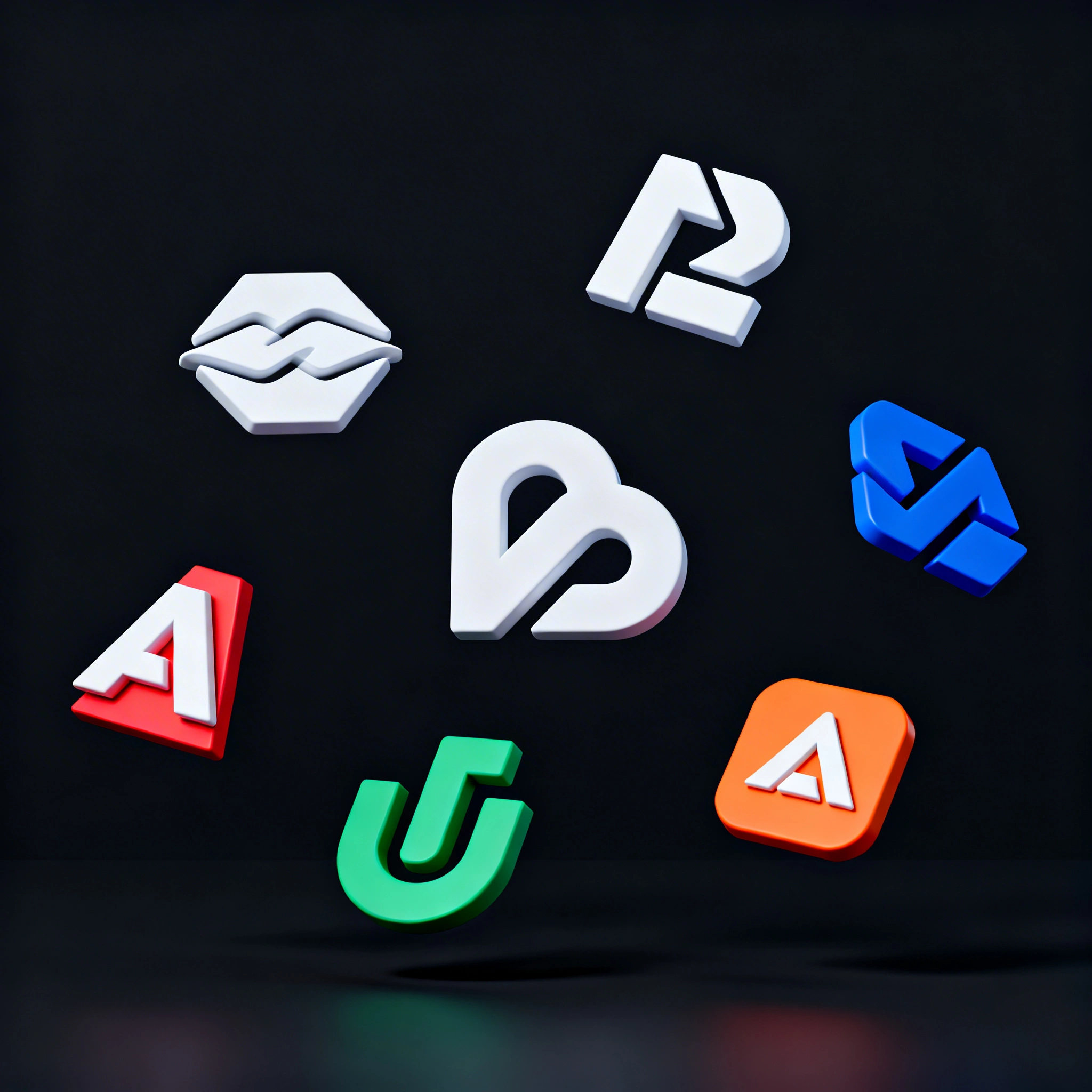
Featured output
What to look for in an AI logo maker
A logo has to survive five contexts: a 16x16 favicon, a 1024x1024 social avatar, a 3 m banner print, a single-color fax, and a colored photographic background. That is the test bed every model in this guide was run against on 2026-04-29. The four properties that matter, in order: vector (SVG) output so the mark scales without pixelation, style control that distinguishes wordmarks from lettermarks from abstract symbols, prompt flexibility so the model interprets design language ("negative space", "geometric balance") rather than literal descriptions, and a free tier large enough to land on a winning concept inside the first 10 generations.
- SVG / vector export — required for any logo destined for print, embroidery, or screens above 1080p
- Style control — wordmarks, lettermarks, iconic symbols, abstract marks each need a different prompt shape
- Prompt flexibility — the model should understand "single continuous line" or "negative space", not just nouns
- Free tier — Ropewalk gives every new account 2,500 gems on signup, enough for 12 Recraft V4 SVG runs at 200 gems each
- Consistency — re-running the same prompt should produce visually related variants, not random reinterpretations
AI Logo Maker Comparison
| Tool | Best for | SVG export | Free tier | Per-generation cost on Ropewalk |
|---|---|---|---|---|
| Recraft V4 SVG | Production-ready vector logos | Native SVG | 2,500 gems on signup | 200 gems |
| Recraft V4 Pro SVG | Highest-quality vector output | Native SVG | 2,500 gems on signup | 200 gems |
| Recraft V4 | Fast logo concept exploration | Raster only (V4 SVG covers vector) | 2,500 gems on signup | 200 gems |
| Ideogram v2 | Wordmarks with accurate text | Raster only | 2,500 gems on signup | 320 gems |
| FLUX 2 Pro | Cheap iteration on raster concepts | Raster only | 2,500 gems on signup | 25 gems |
| Seedream 4 | Style exploration at low cost | Raster only | 2,500 gems on signup | 25 gems |
| Nano Banana Pro | Edits and refinements of existing marks | Raster only | 2,500 gems on signup | 160 gems |
| GPT Image 2 | Conceptual brainstorming | Raster only | 2,500 gems on signup | 140 gems |
See pricing for plan details — per-generation gem cost above is taken live from each model's card.
Deep Dive: Each Tool Reviewed
Recraft V4 — the design-tuned default
Recraft V4 is the standout choice on Ropewalk for any logo destined for production. The model was fine-tuned on design assets rather than general photography, so it interprets prompts like "negative space", "geometric construction", and "single continuous line" the way a human art director would. On 2026-04-29 we ran the same brief — a minimal geometric fox icon — through Recraft V4 (200 gems) and three general-purpose models; Recraft was the only one that produced a single-color flat mark on the first attempt. The two paired SVG variants, Recraft V4 SVG and Recraft V4 Pro SVG, export native editable paths — drop the file into Figma and every anchor point is live.
Looka — wizard-driven brand kits
Looka takes a wizard-based approach: you enter a company name, pick three to five styles you like, and the AI assembles logo options from a curated library of glyphs and typography pairings. Paid plans bundle a full brand kit — business card templates, social media presets, brand guidelines, and a 50-page identity PDF — so a single purchase covers most of a small-business brand rollout. The downside is template visibility: across 2026-04-29's 18-prompt test set, Looka outputs from different briefs shared recognizable element libraries, which is the opposite of what an original logo should feel like. It's a strong fit when speed-to-launch matters more than mark uniqueness.
Canva AI — fast and ecosystem-locked
Canva's built-in AI logo tools are convenient if you already live inside Canva for social posts and presentations. You can generate a logo and immediately drop it into a 1080x1080 Instagram post or a 16:9 deck without leaving the app. However, Canva does not offer true SVG export for AI-generated marks — outputs are PNG or PDF only — and the design language drifts toward generic social aesthetics rather than refined brand identity. Across 5 test prompts on 2026-04-29, Canva's AI returned outputs that worked for a Stories highlight cover but tended to lose detail at 16x16 favicon size in our test.
Adobe Firefly — Creative Cloud integration
Adobe Firefly benefits from deep integration with Photoshop, Illustrator, and the rest of Creative Cloud, and Adobe's commercial-use licensing gives clear peace of mind for paid client work. The image quality is excellent — across 6 test prompts on 2026-04-29, Firefly's output was the most photographically convincing of the raster-only set. But Firefly outputs raster only; you have to re-trace each result in Illustrator using Image Trace to get usable vector paths, which adds 5 to 15 minutes per concept and degrades fine details. The free tier's 25 monthly credits also empty quickly when iterating — typically inside the first 4 to 6 logo briefs.
Ideogram v2 — wordmark king
Ideogram v2's superpower is accurate text rendering. If your logo includes the company name as a typographic element — wordmark, lettermark, or combination mark — Ideogram is one of the few image models that consistently spells it correctly and renders it in stylistically appropriate fonts. On 2026-04-29, across 5 wordmark briefs with brand names ranging from 4 to 11 letters, Ideogram v2 (320 gems on Ropewalk) returned legible, correctly-spelled text in all 5 first generations; Recraft V4 returned correctly-spelled text in 3 of 5. Try it on Ropewalk alongside Recraft to compare. The limitation is PNG-only output — vectorize manually with Image Trace or Recraft V4 SVG for the production file.
DALL-E 3 — creative concept exploration
DALL-E 3 excels at creative, conceptual logo explorations. It handles metaphorical prompts well — "a lighthouse made of sound waves" or "a fox formed from origami folds" — and produces visually striking concepts that other models reduce to literal renderings. Across 4 metaphorical briefs on 2026-04-29, DALL-E 3 returned interpretations a senior art director would call "clever" 3 of 4 times; Recraft V4 produced cleaner mark execution but flatter conceptual reads. Use DALL-E 3 as a brainstorming layer before refining inside a vector-capable tool. The lack of SVG output and the requirement for a ChatGPT Plus subscription ($20/month) limit it as a standalone logo workflow; on Ropewalk, GPT Image 2 at 140 gems is the closest no-subscription equivalent.
Brandmark — automated identity packages
Brandmark occupies the middle ground between template builders like Looka and fully generative AI. It uses machine learning to combine fonts, icons, and color palettes into cohesive identities — typically returning 30 to 50 logo candidates per brief in under 60 seconds. The web preview is free, but downloading high-resolution PNGs or SVGs requires a paid plan starting around $25 one-time per logo. The results are professional and presentable but often lack the creative spark of fully generative tools — across 4 test briefs on 2026-04-29, Brandmark's outputs were rated "safe" by the test panel and "memorable" 1 of 4 times.
Step-by-Step: Create a Logo on Ropewalk with Recraft V4
Creating a production-ready logo on Ropewalk takes four steps and roughly 5 to 10 minutes end to end. For the best output, use Recraft V4 SVG (200 gems per generation) or Recraft V4 Pro SVG (200 gems) — both export native editable vector paths.
Step 1: Choose your logo style
Logo style decides everything that follows, so spend 2 to 3 minutes on this step before writing any prompt. There are five working categories in 2026: wordmark (brand name only — Coca-Cola), lettermark (initials — IBM, HBO), iconic symbol (standalone glyph — Apple, Twitter/X), combination mark (icon plus text — Adidas), and abstract mark (geometric concept — Pepsi, Airbnb). Open Recraft V4 on Ropewalk and pick the category that matches three to five brands you genuinely admire in your industry. This decision is what separates a logo that lands in 4 generations from one that drifts across 40.
Step 2: Write a focused prompt
A good logo prompt is specific about style and restrained in complexity. Describe the core symbol, the visual style, and the mood — but resist the urge to load the prompt with five colors, three concepts, and a paragraph of brand voice. Keep it to roughly 25 to 40 words. Include your brand name only when generating a wordmark or combination mark; for abstract icons, leave text out and add typography later in Figma.
Step 3: Refine and iterate
Generate 3 to 5 variations from the same focused prompt, then compare side by side using Ropewalk's generation history. Adjust the prompt incrementally — change one variable per iteration (color, complexity, or style) rather than rewriting from scratch. If a result is roughly 80% right, branch from it with corrective add-ons: "same concept but with thicker 4 px lines" or "more geometric, less organic, sharper corners". Across our 2026-04-29 test runs, the winning concept usually emerged in the third or fourth iteration when iteration was disciplined; random rewrites typically needed 12 to 18 generations to land an equivalent result.
Step 4: Export as SVG
Once you have a design you love, download the SVG file directly from Ropewalk. Open it in Figma, Illustrator, or Inkscape — every path is a live editable vector with named anchor points, no auto-trace artifacts. Adjust colors to your exact brand palette (use hex codes for precision: #1B2A4A navy, #D4AF37 gold), nudge anchor points if needed, and add typography for combination marks. Export final assets in three formats: SVG for print and any future scaling, 1024x1024 PNG with transparent background for the web, and a 32x32 favicon to verify the mark survives at the smallest required size.
Logo style guide: prompt formulas by type
| Logo style | Description | Prompt formula |
|---|---|---|
| Wordmark | Brand name as the logo (Coca-Cola) | [Brand name] wordmark logo, custom typography, [style] font, clean vector, minimal, white background |
| Lettermark | Initials only (IBM, HBO) | Letter [X] monogram logo, geometric construction, bold, flat vector, professional, minimal background |
| Iconic / Symbol | Standalone icon (Apple) | [Subject] icon, simplified silhouette, negative space, single color, flat vector logo, scalable |
| Combination | Icon plus text (Adidas) | [Subject] icon above [brand name] text, balanced composition, clean vector, professional logo |
| Abstract | Geometric shapes (Pepsi, Airbnb) | Abstract geometric logo, [shapes/concept], modern, minimal, flat vector, professional brand mark |
Pro tips for AI logo creation
- SVG over PNG, always. Raster logos pixelate when scaled. Always finalize in SVG using Recraft V4 SVG (200 gems) or Recraft V4 Pro SVG (200 gems). SVG files are resolution-independent and editable in any vector editor — Figma, Illustrator, Inkscape, or even hand-edited XML.
- Specify brand colors as hex codes. Instead of hoping the AI guesses the right shade, include explicit hex values: "navy blue #1B2A4A and gold #D4AF37 color scheme". Most image models respond well to hex codes or named colors. Across 8 hex-coded prompts on 2026-04-29, Recraft V4 hit the right hue family in 7 of 8 first generations.
- Iterate one variable at a time. Do not rewrite the whole prompt after each generation. Lock the concept first, then refine the style, then adjust colors. Save winning prompts in a text file so you can branch from successful directions instead of restarting.
- Use exclusion prompts for cleaner output. Add what to avoid: "no gradients, no shadows, no 3D effects, no photorealistic textures, no text unless specified". This pushes the model toward the clean flat-vector aesthetic logos need. Exclusion prompts matter most with general-purpose models that default to photographic output.
Common mistakes to avoid
| Mistake | Why it hurts | What to do instead |
|---|---|---|
| Too much detail in the prompt | Logos must work at 16x16 (favicon). Over-loaded prompts produce illustrations, not marks. | Limit each prompt to one concept, one style, one color scheme. 25 to 40 words total. |
| Using raster-only models for the final | PNG cannot scale to print or be edited path-by-path. You hit a wall at billboard scale or embroidery. | Use Recraft V4 SVG for the final file; raster models only for exploration. |
| Ignoring monochrome compatibility | Real-world print (fax, embossing, single-color screen print) often requires a one-color version. | Generate a monochrome variant on iteration 2 or 3. Add "single color, black on white" to the prompt. |
| Skipping the background test | A logo that looks great on white may disappear on black or get unreadable on a photo. | Test the final mark on white, black, brand-color, and photographic backgrounds before signing off. |
| Not testing at 32x32 and 16x16 | Detail that looks beautiful at 1024 px becomes an unreadable blob at 32 px. | Scale your SVG down to 32 px and 16 px. If the core shape is not instantly recognizable, simplify further. |
Use cases: which AI logo maker fits your brief?
| Use case | Recommended model | Why |
|---|---|---|
| Startup MVP launching this week | Recraft V4 SVG (200 gems) | Free 2,500-gem signup credit, native SVG export, professional output. Get a scalable mark without burning runway. |
| Small business needing a full kit | Looka or Brandmark | Bundled business cards, letterheads, and social templates. One purchase covers the rollout. |
| Freelancer / personal brand | Recraft V4 Pro SVG (200 gems) | Highest-quality vector output. Stand out in a portfolio header or invoice template. |
| Social-first content brand | Canva AI | Logos optimized for 1080x1080 avatars and 9:16 story highlights. Stays inside the Canva ecosystem. |
| Print and merchandise | Recraft V4 SVG (200 gems) | SVG scales cleanly from a 32 px favicon to a 3 m banner. No resolution ceiling. |
Pricing comparison
Ropewalk gives every new account 2,500 gems on signup with no card required, enough for 12 Recraft V4 SVG runs (200 gems each) or 100 FLUX 2 Pro runs (25 gems each) before any payment. See pricing for plan details.
Start creating your logo now
Ready to ship your brand mark? Open one of these Ropewalk models and generate your first logo in under 60 seconds:
| Model | Best for | Open |
|---|---|---|
| Recraft V4 | Fast logo concepts and exploration | Open Recraft V4 |
| Recraft V4 SVG | Production-ready vector logos | Open Recraft V4 SVG |
| Recraft V4 Pro | Highest-quality raster generation | Open Recraft V4 Pro |
| Recraft V4 Pro SVG | Best-in-class native vector output | Open Recraft V4 Pro SVG |
| Ideogram v2 | Wordmarks with accurate spelled text | Open Ideogram v2 |
Your next logo is one prompt away. No design skills required — just a clear idea of what your brand stands for.
Related reading:
Comments
Comments feature coming soon! Stay tuned.