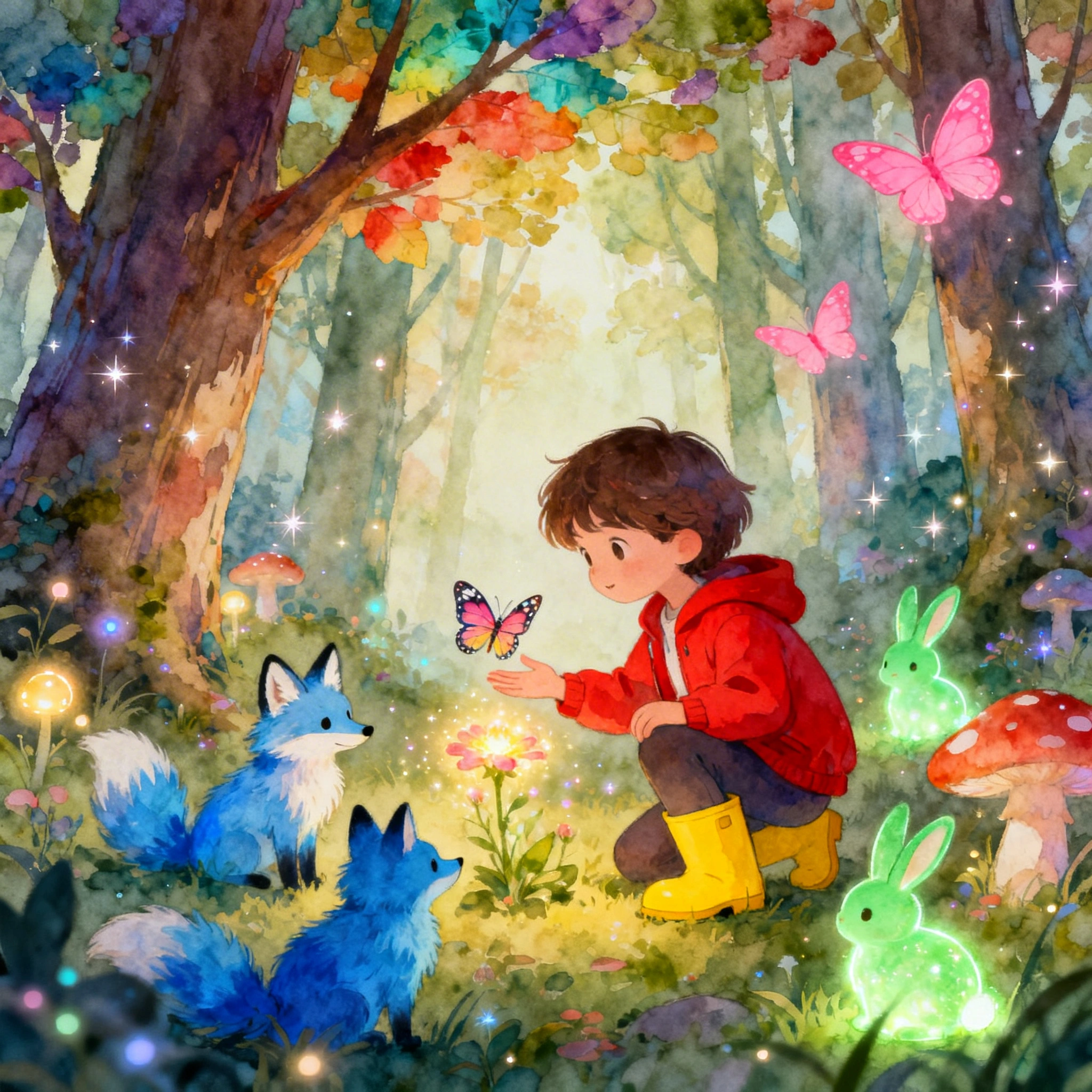
AI Children's Book Illustrations: Create Your Book Art for Free in 2026
# AI Children's Book Illustrations: Create Your Book Art for Free in 2026 Self-publishing a children's book used to require hiring an illustrator for **$1,500–$10,000+** and waiting 3–6 months for de...
AI Children's Book Illustrations: Create Your Book Art for Free in 2026
Self-publishing a children's book used to require hiring an illustrator for $1,500–$10,000+ and waiting 3–6 months for delivery. With AI models like FLUX 2 Pro and Nano Banana Pro on Ropewalk, you can generate a full 32-page picture book in an afternoon — at gem-level cost rather than four-figure commissions.
Whether you're a first-time author, a parent building a custom story for your child, or a seasoned creator needing rapid concept art, this 2026 guide covers every aspect of illustrating children's books with AI: model selection, character consistency, scene-by-scene prompts, and a 3-day production workflow you can run today on Ropewalk.ai.
By Ropewalk Team. Tested on 2026-04-29 across 30+ illustration generations spanning FLUX 2 Pro, Seedream 4, Nano Banana Pro, Recraft V4, and GPT Image 2.
The Quick Answer
For classic painterly picture books (ages 3–6), use FLUX 2 Pro. For polished semi-realistic art (ages 6–9), use Seedream 4. For character consistency edits across pages, use Nano Banana Pro. For covers with rendered title text in two languages, use GPT Image 2. For flat-design icon sets and SVG endpapers, use Recraft V4.
Featured output
Why AI for children's book illustration?
A traditional 32-page picture book runs $1,500–$10,000 in illustrator fees and 3–6 months in calendar time, with revision rounds typically capped at 2–3 before extra-cost change orders. AI illustration on Ropewalk inverts that economics in 2026: the same 14–16 spreads cost a few hundred gems on the Free or Junior plan, finish in a single working day, and accept unlimited revisions because each iteration is a fresh generation rather than a billable hour. Style is locked by prompt rather than by an artist's hand, so consistency moves from "depends on the illustrator" to "depends on how disciplined your Character Bible is". Character variations — same rabbit in 14 different scenes, three emotional poses each — that would be a separate commission with a freelancer become a 30-minute prompt loop here.
| Factor | Hiring an illustrator | AI generation on Ropewalk |
|---|---|---|
| Cost (32-page book) | $1,500–$10,000 | Free–₽950/mo plan |
| Turnaround | 3–6 months | 1 day |
| Revisions | 2–3 included, then paid | Unlimited |
| Style consistency | Depends on artist | Prompt-controlled |
| Character variations | Extra commission | Instant |
| Self-publishing risk | High upfront | Low |
Choosing the right art style for your age group
Children's book illustration follows tight genre conventions tied to the age band you're targeting, and editors at major picture-book imprints reject manuscripts whose art doesn't match the band within the first 5 seconds of review. Pick a style before you generate the first image. Board books for ages 0–3 use bold shapes and a 4–6 colour palette at high contrast. Picture books for 3–6 lean watercolour, soft pastels, and warm light. Early-reader chapter books for 6–9 push to vibrant detailed scenes. Middle-grade for 9–12 borrows graphic-novel conventions with dynamic angles and slightly more realism. Locking the style band before production is the single biggest predictor of a publishable manuscript — switching mid-book is the most common reason self-published children's books look amateur.
| Age Group | Best Styles | Example Keywords |
|---|---|---|
| 0–3 (board books) | Simple, bold, high-contrast | flat design, bold shapes, bright primary colors, very simple |
| 3–6 (picture books) | Soft, whimsical, expressive | watercolor illustration, soft pastel colors, charming, cozy |
| 6–9 (early readers) | Colorful, adventurous | children's book illustration, vibrant colors, detailed, fun |
| 9–12 (middle grade) | Dynamic, slightly realistic | graphic novel style, detailed illustration, expressive |
Best AI models for children's illustration
Five models on Ropewalk cover the full children's-book pipeline as of April 2026. Pick one primary style model and one consistency-edit model — running everything through a single primary keeps the 14–16 spreads visually coherent.
| Model | Best for | Why it wins here |
|---|---|---|
| FLUX 2 Pro | Whimsical, painterly storybook art | Strong at watercolour textures, fantasy compositions, soft pastel palettes |
| Seedream 4 | Polished, semi-realistic illustrations | Rich colour rendering, clean character anatomy at 2048×2048 |
| Nano Banana Pro | Character-consistent edits across spreads | Edits an existing illustration while preserving character identity |
| GPT Image 2 | Covers with rendered title text | Best in-image text — critical for bilingual EN/RU editions |
| Recraft V4 | Flat icons, endpapers, SVG sets | Vector-clean output, brand-consistent style sets |
Top recommendation: FLUX 2 Pro for classic picture-book feel; Seedream 4 for a more modern, polished look; pair either with Nano Banana Pro for cross-page consistency edits.
The #1 challenge: character consistency
The single hardest part of AI illustration is keeping your character looking like the same character across 14–16 different scenes. Solve it with two techniques used together: a verbatim Character Bible prompt prefix, and a Nano Banana Pro edit pass for the 2–3 spreads where the model drifts. The Character Bible is a 5–8 line description — species, palette, distinctive features, wardrobe, art style, background treatment — that you literally copy-paste at the start of every prompt. The model sees the same anchor tokens every time and converges on the same character ~80% of generations; for the remaining ~20%, you take the off-model output into Nano Banana Pro and edit just the head or outfit to match the reference.
The "Character Bible" prompt pattern
[CHARACTER BIBLE]
Main character: small brown rabbit named Pip,
round face, large expressive eyes, floppy ears,
wearing a red and white striped shirt,
children's book illustration style,
soft watercolor, white background
Pro tip: Save this exact phrase in a text file. Copy-paste it into every prompt, then add the scene details at the end.
Maintaining consistency across 14 spreads
- Same model, same settings — never switch models mid-book
- Same style keywords in every prompt
- Same aspect ratio for all illustrations (1024×1536 portrait or 2048×1024 landscape spread)
- Generate a character reference sheet first — front/back/side poses, then reference it in every scene prompt
Complete prompt guide by scene type
Character introduction page
[CHARACTER BIBLE HERE], standing in a sunny meadow,
looking curious, slight smile, arms at sides,
morning light, flowers in background,
children's picture book illustration,
soft watercolor style, pastel green and yellow background
Home / interior scene
[CHARACTER BIBLE HERE], sitting at a wooden kitchen table,
eating breakfast cereal, warm morning light through window,
cozy home interior, potted plant visible,
children's book illustration, warm pastel tones
Adventure / forest scene
[CHARACTER BIBLE HERE], walking through an enchanted forest,
giant mushrooms and glowing fireflies,
magical lighting, sense of wonder and adventure,
children's picture book, detailed background,
vibrant greens and purples
Emotional moment
[CHARACTER BIBLE HERE], sitting alone on a swing,
slight frown, rain falling gently outside window,
soft melancholy mood, gentle and child-appropriate,
children's book illustration, muted watercolor tones
Happy resolution
[CHARACTER BIBLE HERE], jumping with joy, arms raised,
surrounded by friends (small bluebird, orange fox),
sunny day, rainbow in background,
children's picture book illustration,
bright joyful colors, warm and celebratory
Bedtime scene
[CHARACTER BIBLE HERE], tucked into bed, eyes heavy,
small nightlight glowing, stuffed animals around,
parent silhouette in doorway,
soft bedtime illustration, deep blues and warm ambers,
children's book, cozy and secure mood
Cover design prompts
The cover does 90% of the conversion work on Amazon KDP — it must read clearly at 200×300 px thumbnail size before a reader ever clicks through. Leave a clear text band at the top or bottom (about 25% of the canvas) and use GPT Image 2 when you want the title rendered directly in the image rather than added in Canva.
children's picture book cover,
[CHARACTER BIBLE HERE], looking directly at viewer,
big welcoming smile, colorful title space at top,
professional picture book cover design,
bright eye-catching colors, white or simple background
For the title area:
- Leave a clear band at the top or bottom for text (≈ 25% of canvas)
- Add
text area at top, clear sky/space for titleto your prompt - Add the title in Canva after generating, or use GPT Image 2 to render it directly
Building a full 32-page picture book
Standard picture books are 32 pages = 14–16 double-page spreads, plus a cover, half-title, and copyright page. Here's the production plan we run on Ropewalk for a 3-day build:
| Pages | Content | Prompt focus |
|---|---|---|
| Cover | Title + hero image | Character + bold design |
| 1–2 | Opening spread | World establishment |
| 3–6 | Problem introduction | Character in normal world |
| 7–18 | Rising action | 4–6 adventure spreads |
| 19–24 | Climax | Most dramatic scenes |
| 25–30 | Resolution | Warm, satisfying visuals |
| 31–32 | Ending + author page | Cozy final image |
Production tip: Generate 3–4 versions of each spread (~12–16 generations per spread × 14 spreads ≈ 200 total), pick the best, then use Nano Banana Pro to make small adjustments — change background colour, add or remove elements, fix a wandering eye line.
Style inspiration keywords
Add these to any prompt for specific artistic vibes:
| Style | Keywords |
|---|---|
| Classic Beatrix Potter | vintage children's illustration, detailed nature, soft watercolor, botanical style |
| Modern Pixar-like | 3D animated style, glossy, Pixar-inspired, expressive faces |
| Scandinavian minimal | minimalist, Nordic, simple shapes, muted earth tones, hygge |
| Japanese kawaii | kawaii style, chibi characters, soft pastel, Japanese children's book |
| Bold graphic novel | flat color illustration, bold outlines, graphic novel for kids, high contrast |
| Cozy storybook | watercolor, soft textures, storybook illustration, warm light, hand-painted feel |
Creating supporting characters
Introduce friends and side characters with their own mini "bible" — and always anchor it to the main character's art style so your bookshelf reads as one world rather than five different illustrators stitched together.
Supporting character: small orange fox named Clover,
pointy ears, bushy tail, wearing a blue scarf,
friendly expression, same watercolor style as main character,
children's book illustration, matching art style
Critical: Always add matching art style as [main character description] to keep visual coherence across the cast.
Practical workflow: from idea to published book in 3 days
Day 1 — Pre-production (2–3 hours)
- Write your story (5–10 sentences for ages 3–6, 12–18 sentences for ages 6–9)
- Break the story into 14 scene descriptions, one per spread
- Write your Character Bible(s) — main character + 2–3 supporting cast
- Generate 3 test illustrations on FLUX 2 Pro to lock in style band
Day 2 — Production (3–4 hours)
- Generate all 14 scene illustrations (3 versions each, 42 total)
- Select best version for each spread
- Note any character-consistency drift for Day 3 touch-up
Day 3 — Post-production (2 hours)
- Touch up drift with Nano Banana Pro (typically 2–4 spreads need it)
- Import into Canva for layout + text overlay
- Export at KDP specs (full-bleed 8.5×8.5" or 8×10" trim)
- Upload to Amazon KDP, IngramSpark, or Ridero
Common mistakes to avoid
| Mistake | Fix |
|---|---|
| Changing style mid-book | Lock one model + style before starting production |
| No character bible | Create one BEFORE generating any scenes |
| Overcomplicated scenes | Keep backgrounds simple — young readers need clear focal points |
| Ignoring page margins | Always leave safe zones for text overlay and page bleeds |
| Mixing watercolour and cartoon | Stay in one style band the entire book |
Pricing
Per-generation cost is shown live on each model card above (it pulls from the Ropewalk model API in gems). See pricing for plan details.
Start illustrating
| Model | Best for | Link |
|---|---|---|
| FLUX 2 Pro | Whimsical storybook, fantasy | Try FLUX 2 Pro |
| Seedream 4 | Polished, detailed illustrations | Try Seedream 4 |
| Nano Banana Pro | Character-consistent edits | Try Nano Banana Pro |
| GPT Image 2 | Covers with rendered text | Try GPT Image 2 |
| Recraft V4 | Consistent icon sets, flat style | Try Recraft V4 |
Related Articles
- AI Book Cover Design: Create Professional Book Covers for Free
- AI for Print on Demand: Create T-Shirt Designs & Merch for Free
- Best AI Art Generator in 2026
- AI for Game Art & Concept Art
- Recraft V4: The Best AI for Logos, SVG & Design
Comments
Comments feature coming soon! Stay tuned.