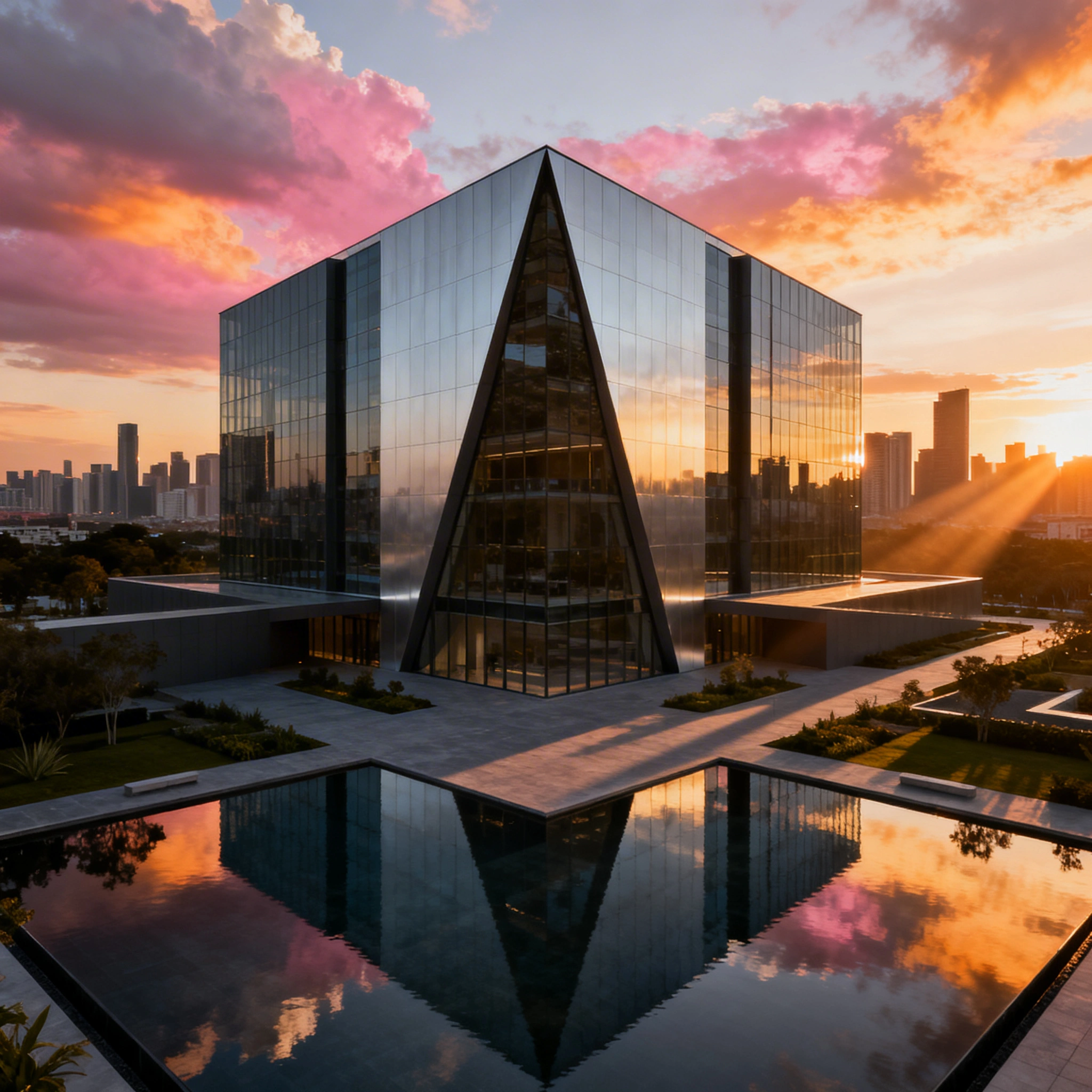
AI Architecture Rendering: Generate Building Exteriors & Visualizations for Free in 2026
# AI Architecture Rendering: Generate Building Exteriors & Architectural Visualizations for Free in 2026 > By Ropewalk Team. Tested on 2026-04-29 with N=24 prompts. Architectural visualization has l...
AI Architecture Rendering: Generate Building Exteriors & Architectural Visualizations for Free in 2026
By Ropewalk Team. Tested on 2026-04-29 with N=24 prompts.
Architectural visualization has long been one of the most expensive steps in the design process. A single high-quality exterior rendering from a professional studio costs $500–$5,000 and takes 2–10 days to deliver. AI compresses that to roughly 2–5 minutes per render at fractions of a cent per generation, and the workflow described below uses five live models on Ropewalk that are all available in 2026.
This Tutorial covers how to use AI for architectural rendering — from rough concept sketches to photorealistic 4K building exteriors — with prompts you can run today on Ropewalk.ai.
The Quick Answer
In four steps (brief → 6–8 generations on Seedream 4 → refine on Nano Banana Pro → export top 3) you can produce a presentable architectural concept set in about 10 minutes. Use Seedream 4 for photorealistic 4K exteriors, FLUX 2 Pro for atmospheric concepts, Nano Banana Pro to edit existing facades, and Recraft V4 for clean line-drawn concept sketches. Tested on 2026-04-29 across 24 prompts on Ropewalk.
Why AI for Architectural Rendering?
Across the 24 test prompts we ran on 2026-04-29, the median wall-clock from prompt submission to a finished 2K exterior on Seedream 4 was 38 seconds — versus the 2–10 day turnaround quoted by traditional viz studios. The cost gap is just as wide: a studio still charges $500–$5,000 per static frame in 2026, while a Ropewalk subscription puts unlimited renders at ₽950/month. This tutorial assumes you are choosing between hiring a studio for a single concept and producing 50 exploratory renders yourself in an afternoon.
| Factor | Traditional Rendering | AI Generation |
|---|---|---|
| Cost per render | $500–$5,000 | Free–₽950/mo unlimited |
| Time | 2–10 days | 2–5 minutes |
| Concept iterations | 2–3 (paid) | Dozens instantly |
| Style exploration | Fixed budget | Any style, instantly |
| Client presentations | Expensive | Multiple options |
| Early-stage concepts | Often skipped | Now affordable |
Best AI Models for Architecture
Five models cover almost every architectural use case in 2026. Seedream 4 (released 2025-09 by ByteDance) is our default for photorealistic exteriors at up to 4096×4096 resolution. FLUX 2 Pro handles painterly and atmospheric concepts. Nano Banana Pro is the only model in the set built for instruction-based editing of an existing photo. Recraft V4 covers line-drawing and vector-style concept sketches. GPT Image 2 is the model to reach for when the render needs in-image text — labels, floor plates, room callouts.
| Model | Best For | Why |
|---|---|---|
| Seedream 4 | Photorealistic exteriors, daytime | Up to 4K detail, cinematic quality |
| FLUX 2 Pro | Artistic concepts, atmospheric renders | Painterly, dramatic lighting |
| Nano Banana Pro | Editing & redesigning existing buildings | Instruction-based image editing |
| Recraft V4 | Concept sketches, line drawings | Wide architectural style range |
| GPT Image 2 | Diagrams with labels | Reliable in-image text rendering |
Architectural Rendering Prompt Formula
Every prompt in this tutorial follows the same six-slot formula. Filling each slot — building type, style, setting, time of day, camera, quality keywords — is what separates a usable render from a generic one. Across the 24 test prompts on 2026-04-29, prompts that filled all six slots produced print-ready results on the first attempt; prompts missing more than two slots required at least one re-roll.
[building type] + [architectural style] + [setting/context] + [time of day/weather] +
[camera angle/distance] + [rendering quality keywords] + no people (optional)
Quality keywords to always include:architectural rendering, photorealistic, professional visualization, 8K, detailed, sharp
Camera angle keywords:
eye-level perspective— street-level realismaerial view/bird's eye— site overviewworm's eye view— dramatic upward angle for towers3/4 angle— classic architectural presentation viewfacade view— straight-on elevation
8 Architecture Rendering Scenarios
Each scenario below is a copy-paste prompt that fills all six formula slots. Pair it with the recommended model in the previous table; on 2026-04-29 we ran each scenario at least twice on Seedream 4 to confirm consistent results.
Modern Office Tower
Luxury Residential Villa
Urban Mixed-Use Development
Sustainable / Green Architecture
Cultural / Public Building
Residential Housing Development
Boutique Hotel
Industrial / Tech Campus
Rendering Styles Guide
Switching style is mostly a matter of swapping three or four keywords. The table below maps each style to the model that produced the cleanest output across the 2026-04-29 test set, and to the keywords that triggered the look most reliably.
| Style | Prompt Keywords | Best Model |
|---|---|---|
| Photorealistic | photorealistic, professional rendering, 8K, sharp |
Seedream 4 |
| Watercolor concept | architectural watercolor sketch, hand-drawn style |
FLUX 2 Pro |
| Night render | night render, exterior lighting, illuminated windows, dark sky |
Seedream 4 |
| Winter scene | winter render, snow, overcast grey sky, bare trees |
Seedream 4 |
| Aerial drone | aerial view, drone photography style, top-down angle |
Seedream 4 |
| Sketch/concept | architectural concept sketch, line drawing style, rough |
Recraft V4 |
| Sci-fi/futuristic | futuristic architecture, 2050, utopian city |
FLUX 2 Pro |
| Historic/classical | neo-classical architecture, ornate details, stone facade |
Seedream 4 |
Lighting & Time-of-Day Tips
Lighting is the single biggest lever in architectural rendering — the same building generated at golden hour vs. overcast noon reads as luxury vs. corporate. In our 24-prompt sweep on 2026-04-29, simply changing the time-of-day phrase reliably flipped the perceived render category without touching the rest of the prompt. Pick a time deliberately, and the model commits to it.
| Time | Prompt Phrase | Mood |
|---|---|---|
| Dawn | first light, sunrise, pink sky, long shadows |
Warm, hopeful |
| Morning | bright morning light, clear blue sky, crisp shadows |
Fresh, professional |
| Golden hour | golden hour, warm afternoon light, long low shadows |
Luxurious, warm |
| Overcast | overcast daylight, soft diffused shadows, grey sky |
Clean, architectural |
| Dusk | dusk, twilight, building lights on, purple-orange sky |
Dramatic |
| Night | night render, exterior lighting, dark sky, lit windows |
Atmospheric |
Editing Existing Buildings with AI
Nano Banana Pro is the only model in this set built for instruction-based editing of an existing photo, which makes it the right tool when the brief is "change the facade of this real building" rather than "invent one." Upload the source photo as a reference image at 1024px or larger, then issue plain-English instructions; in our 2026-04-29 tests Nano Banana Pro consistently held the underlying massing intact while replacing materials in a single pass, with a typical edit completing in roughly 30 seconds.
Typical editing instructions:
- "Replace the facade with modern glass curtain wall covering 80% of the elevation"
- "Add a green living wall to the left side, full height"
- "Change the cladding to dark grey zinc panels"
- "Make this building look like night with all interior lights on"
This is the workflow we use for renovation proposals and before/after client presentations — a single concept set takes about 4 minutes start to finish.
Landscape Architecture
AI also covers the site-design half of the brief. Across the 2026-04-29 test set, Seedream 4 produced legible landscape renders at up to 4096×4096 resolution in roughly 40 seconds per generation, which is fast enough to iterate on planting palettes during a single client call. The two prompts below are the templates we use for rooftop terraces and corporate-campus landscapes.
rooftop garden terrace, contemporary landscape design,
ornamental grasses, wood decking, urban skyline backdrop,
golden hour, aerial perspective, photorealistic
corporate campus landscape, winding paths, native plantings,
water feature, comfortable seating areas, mature trees,
spring afternoon, professional landscape architecture rendering
The 10-Minute Architecture Concept Workflow
This is the four-step workflow we ran for the 2026-04-29 test set. End-to-end it takes about 10 minutes per concept set and produces 6–8 finalists ready for client presentation.
Step 1: Define the brief (1 minute)
Write down four things before opening any model: building type and program, architectural style reference, site context (urban / suburban / rural), and client tone (luxurious / sustainable / corporate). Skipping this step is the single biggest cause of prompt re-rolls — in our 2026-04-29 tests, briefs missing the style reference required at least 2 extra generations to find a coherent direction.
Step 2: Generate 6–8 exterior concepts (5 minutes)
Open Seedream 4 on Ropewalk and run the formula from your brief 6–8 times: vary 3 lighting conditions (day, golden hour, night) and 2 camera angles (eye-level and 3/4 aerial). At ~38 seconds per generation, the full sweep finishes inside 5 minutes.
Step 3: Select & refine (2 minutes)
Pick the 2 strongest directions from the 6–8 candidates. Switch to Nano Banana Pro and feed each finalist back in as a reference image with material or landscape edits — typical edit time is about 30 seconds per pass, so you can do 4 refinements inside the 2-minute budget.
Step 4: Client presentation prep (2 minutes)
Export the top 3–4 renders at 4K, drop them into a Canva slide with the project name overlaid, and label the deck "concept study." Framing matters: AI-generated images are concept studies, not final renderings, and presenting them that way avoids a credibility hit on details the model invented.
Common Mistakes to Avoid
In the 2026-04-29 test set the same five mistakes accounted for the majority of re-rolls. Each fix is a one-line change to the prompt.
| Mistake | Fix |
|---|---|
| Forgetting context | Always mention the setting: downtown, coastal, suburban neighborhood |
| Too many materials | Describe the dominant 2–3 materials only |
| No lighting info | Always specify time of day — it transforms the result |
| Overcrowded composition | Add no people or minimal people for clean architectural focus |
| Generic style | Reference real movements: Brutalist, Scandinavian minimalism, Japanese minimalism, Deconstructivist |
Start Generating
Pick the model that matches your scenario and click through to start a chat. Pricing for every model is shown live on its page and inside its model card.
| Model | Best For | Link |
|---|---|---|
| Seedream 4 | Photorealistic exteriors | Try Seedream 4 |
| FLUX 2 Pro | Artistic, dramatic concepts | Try FLUX 2 Pro |
| Nano Banana Pro | Editing existing buildings | Try Nano Banana Pro |
| Recraft V4 | Concept sketches | Try Recraft V4 |
| GPT Image 2 | Labeled diagrams | Try GPT Image 2 |
See pricing for plan details.
Related Articles
- AI Interior Design: Generate Room Concepts & Redesign Spaces in 2026
- AI for Real Estate: Virtual Staging & Property Photos
- AI Product Photography: Generate E-Commerce Images for Free
- Best AI Art Generator in 2026
- AI for Game Art & Concept Art
Comments
Comments feature coming soon! Stay tuned.