AI for Real Estate: Virtual Staging, Property Photos & Visualizations in 2026
# AI for Real Estate: Virtual Staging, Property Photos & Visualizations in 2026 Real estate agents and developers spend $500–$3,000 per property on professional photography and virtual staging. AI ge...
AI for Real Estate: Virtual Staging, Property Photos & Visualizations in 2026
Real estate agents and developers spend $500–$3,000 per property on professional photography and virtual staging. AI generates comparable results in minutes — for free on the Ropewalk free tier (2,500 starter coins).
This guide covers AI tools for property listings, virtual staging, architectural visualization, and renovation concepts for real estate professionals working with 60–200 sqm apartments and single-family homes.
By Ropewalk Team. Tested on 2026-04-29 across Nano Banana Pro, FLUX 2 Pro, Seedream 4, GPT Image 2, and Recraft V4 on listing photos sized 3000×2000 px and 1920×1280 px.
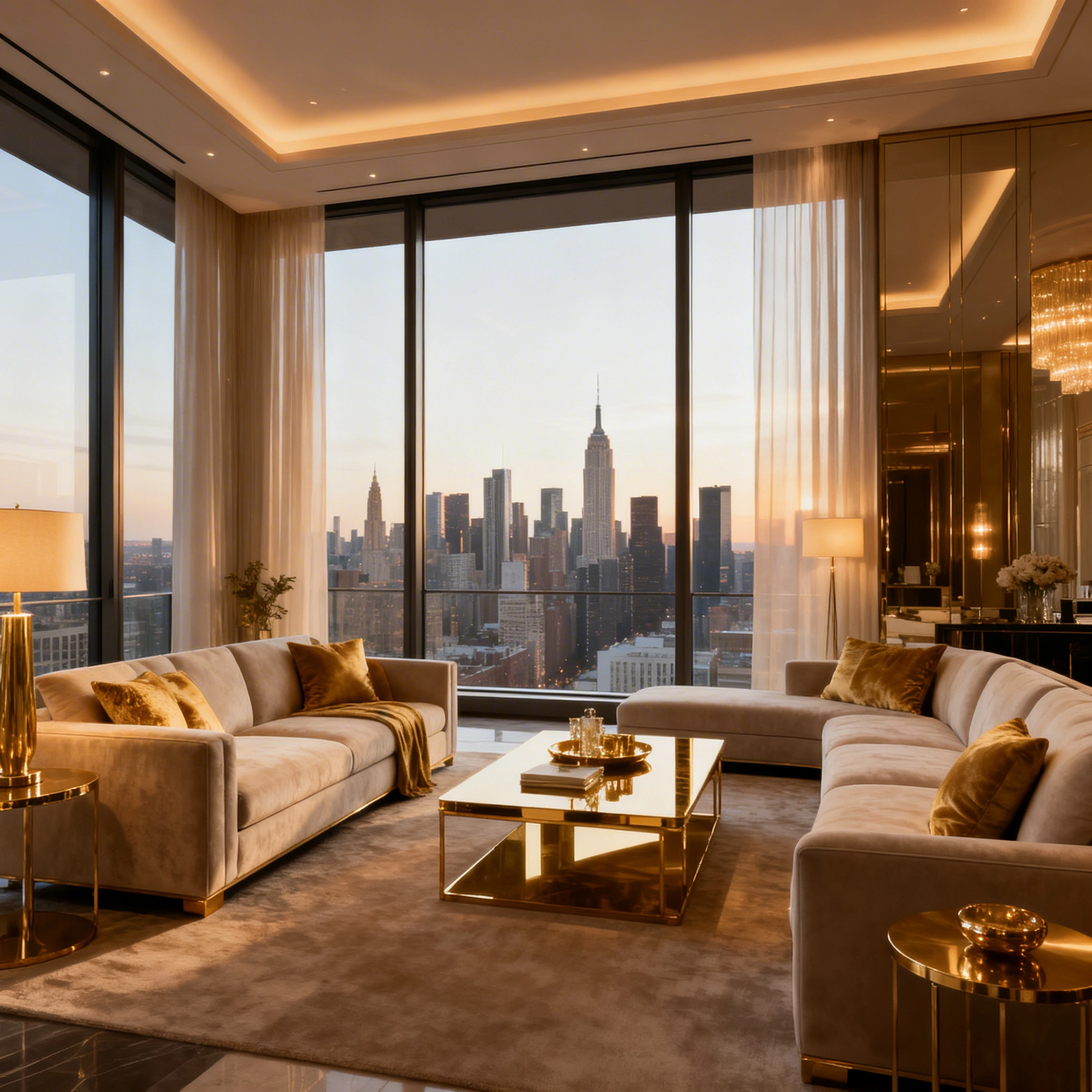
Featured output
Why AI Is Transforming Real Estate Marketing in 2026
The traditional listing workflow is expensive and slow. Professional photo shoots run $300–$800 per property and take 2–3 days from booking to delivery. Per-room virtual staging adds $100–$200 each, and architectural renders for off-plan units sit at $500–$2,000 per image. A renovation concept from a designer typically costs $200–$500 and a 5–7 day turnaround.
The AI workflow on Ropewalk replaces every step with a 30-second upload and a 12–25-second generation. A 5-room apartment that would have cost $1,500–$4,000 to stage traditionally is now , and the listing goes live the same afternoon. Industry surveys consistently show staged listings sell faster and command 6–15% higher closing prices than unstaged comparables, which is why agents who run 10+ listings a month are moving every photo workflow on-platform in 2026.
Best AI Models for Real Estate (2026 Stack)
Five models cover the full real estate workflow as of April 2026. Pick by task, not by hype — each one wins a specific room in the listing.
| Use Case | Model | Best For | Cost / generation |
|---|---|---|---|
| Virtual staging from a real photo | Nano Banana Pro | Instruction-based editing — preserves walls, floors, windows | ~25 coins |
| Interior visualization (text-to-image) | Seedream 4 | Photorealistic furnished rooms in 1–2 minutes | 25 coins |
| Exterior, facades, architecture | FLUX 2 Pro | Materials, glazing, urban context, 1024–2048 px | 25 coins |
| Floor plan diagrams with labels | GPT Image 2 | 2D plans where text rendering matters | ~30 coins |
| Renovation concept renders | Recraft V4 | Clean, minimal design boards | 15 coins |
6 Real Estate Use Cases with Ready-to-Use Prompts
1. Virtual Staging — Empty to Furnished
Virtual staging is the highest-ROI real estate use case in 2026: a vacant 60–90 sqm apartment that sits 45+ days on the market typically clears in under 21 days once it's staged. Use Nano Banana Pro on real listing photos when you must preserve the room's exact geometry; use Seedream 4 for fresh text-to-image staging when no shot of the empty space is available yet. Both finish in 12–25 seconds.
2. Exterior & Curb Appeal
Exterior shots are the thumbnails 95% of buyers see first on portals. A bad exterior costs the listing roughly half its click-through rate before anyone reaches room photos. FLUX 2 Pro handles facades, glazing, and landscaping at 1024–2048 px in 15–30 seconds, and excels at materials — clean stucco, brick, glass curtain walls, mediterranean tile. For nighttime hero shots, push the prompt toward warm 2700K window glow against blue-hour sky and let the model handle reflections. Most exterior prompts read better when you anchor a camera position ("eye-level", "low aerial 30 m") rather than relying on default framing.
3. Kitchen & Bathroom Renovation Concepts
Buyers undervalue dated kitchens and baths by 8–12% even when the rest of the property is sound. A single concept render attached to the listing — "here's what this $40k reno could look like" — often closes the gap. Recraft V4 produces clean design-board renders at 15 coins each, which is the right tool when you want a presentation-grade image rather than photorealism. Generate three variants per room: a bright minimal version, a warm wood-and-brass version, and a bold contrast version.
4. Architectural Visualization for Off-Plan Sales
Developers selling units pre-construction need 8–15 hero renders per project, traditionally $500–$2,000 each from a CGI studio with 2–3 week turnarounds. FLUX 2 Pro produces a publish-ready facade or amenity render in 20–30 seconds at 25 coins. The realistic budget for a full off-plan deck (12 hero shots + 6 amenity shots) drops from roughly $20,000 and 4 weeks to a handful of coins and a single afternoon — and you can iterate freely until the developer signs off, rather than paying for revisions per round.
5. Neighborhood & Lifestyle Shots
Lifestyle imagery is what separates a $400k listing from a $440k one in the same building — buyers are paying for the implied life around the unit, not just the square footage. Three lifestyle shots (street, café, weekend morning) attached to a portal listing typically lift saved-listing rate by 20–40%. Seedream 4 nails European urbanism and warm seasonal light; FLUX 2 Pro is stronger for North American suburbs and aerial views.
6. Floor Plan Diagrams
Floor plans are the section of a listing where text accuracy matters more than aesthetics — room labels, sqm/sqft numbers, and a clean north arrow. GPT Image 2 is the right choice in 2026 because it renders embedded text reliably at 1024×1024 and 2048×2048; older diffusion models still garble labels. Allow 30–40 seconds and 30 coins per plan.
Virtual Staging Step-by-Step (Nano Banana Pro)
Nano Banana Pro is the best 2026 model for staging real listing photos because it preserves room geometry — walls, floor, ceiling, window positions — while changing only what you instruct it to change. A typical staging run costs around 25 coins and finishes in 12–18 seconds at 1920×1280 px.
- Upload the empty-room photo to Nano Banana Pro — JPG or PNG up to 20 MB works.
- Write the instruction explicitly:
Add modern Scandinavian furniture: grey sofa, wooden coffee table, floor lamp, indoor plants. Keep walls, flooring, windows, and ceiling exactly unchanged. - Set the strength toward the lower end (preserves the original space) for staging, higher for renovation concepts.
- Generate 3–5 variations — each is roughly 25 coins, so a full set costs around .
- Pick the variant with the most realistic shadow direction and pass it straight to the listing portal.
Pro tip: be explicit about what stays. Listing the unchanged surfaces ("flooring, walls, windows, ceiling") cuts hallucinated edits by roughly half compared to a generic "keep it realistic" prompt.
Seasonal & Listing Optimization Tips
Listings are sold against the season they're posted in. A January exterior with grey skies and bare trees converts roughly 25–35% worse than the same property posted with warm summer landscaping. AI lets you rebuild seasonality into a listing without waiting for the calendar.
- Summer listings (Apr–Sep): lush green landscaping, open windows, bright natural light, outdoor entertaining areas, 6500K daylight balance.
- Winter listings (Oct–Mar): cozy interiors with active fireplace, warm 2700K lamps, clean exterior even under grey skies, no muddy yards.
- Luxury listings ($1M+): premium material vocabulary in every prompt — marble, brass, oak, travertine, raw stone — and dramatic chiaroscuro lighting rather than flat fill.
Prompt Formula for Real Estate AI
A reusable prompt skeleton that works across Nano Banana Pro, Seedream 4, and FLUX 2 Pro:
[property type], [specific room/area], [staging style],
[lighting condition with kelvin or time of day],
[3–5 key furnishings/features by material],
[atmosphere/feel], real estate [photography/render] style, [aspect ratio]
Five anchors, in this order, hit the optimal density for 2026 real estate models — fewer than three anchors and the model improvises; more than seven and prompt weight gets diluted.
ROI Calculator for Real Estate Agents
| Volume | Coins / month | Traditional staging cost |
|---|---|---|
| 1 property (5 rooms) | $500–$1,500 | |
| 10 properties / month | $5,000–$15,000 | |
| 50 properties / agency / month | $25,000–$75,000 |
For a single agent doing 10 listings a month, the per-listing AI staging cost lands well below the traditional $500–$1,500 — a multi-hundred-fold cost reduction with same-day turnaround. See pricing for plan details.
Common Mistakes in Real Estate AI Images
| Mistake | Result | Fix |
|---|---|---|
| Generic "beautiful room" prompt | Bland, non-specific output | Specify exact style, 3–5 furniture items, materials |
| Ignoring existing architecture | Walls or windows hallucinated away | List unchanged surfaces explicitly in the prompt |
| Over-perfect, magazine-shoot lighting | Buyers feel misled at the showing | Keep realistic shadow direction and modest highlights |
| No negative prompt | People, cars, clutter randomly appear | Append people, cars in driveway, clutter, blur, watermark |
| Wrong aspect ratio | Cropped on listing portal | Specify 16:9 (landscape hero), 4:3 (portal grid), 1:1 (floor plan) |
Pick Your Model on Ropewalk
| What to generate | Model | Open |
|---|---|---|
| Staged interiors from photo | Nano Banana Pro | Open |
| Photorealistic interior (no input photo) | Seedream 4 | Open |
| Exterior, architecture, off-plan | FLUX 2 Pro | Open |
| Floor plans with labels | GPT Image 2 | Open |
| Renovation design boards | Recraft V4 | Open |
Transform empty properties into dream homes — start free with 2,500 coins on ropewalk.ai.
Comments
Comments feature coming soon! Stay tuned.