AI for Interior Design: Generate Room Concepts & Redesign Spaces in 2026
# AI for Interior Design: Generate Room Concepts & Redesign Spaces in 2026 *Interior designers charge $1,000–5,000 to visualize a single room concept. AI does the same job in roughly 30 seconds, ofte...
AI for Interior Design: Generate Room Concepts & Redesign Spaces in 2026
Interior designers charge $1,000–5,000 to visualize a single room concept. AI does the same job in roughly 30 seconds, often for free. Here is how to use AI image models to design, redesign, and visualize any interior in 2026.
By Ropewalk Team. Tested on 2026-04-29 across 24 interior prompts on Ropewalk, spanning 4 models (Nano Banana Pro, Seedream 4, FLUX 2 Pro, Recraft V4) and 6 room types from 12 m² studios to 45 m² open-plan living rooms.
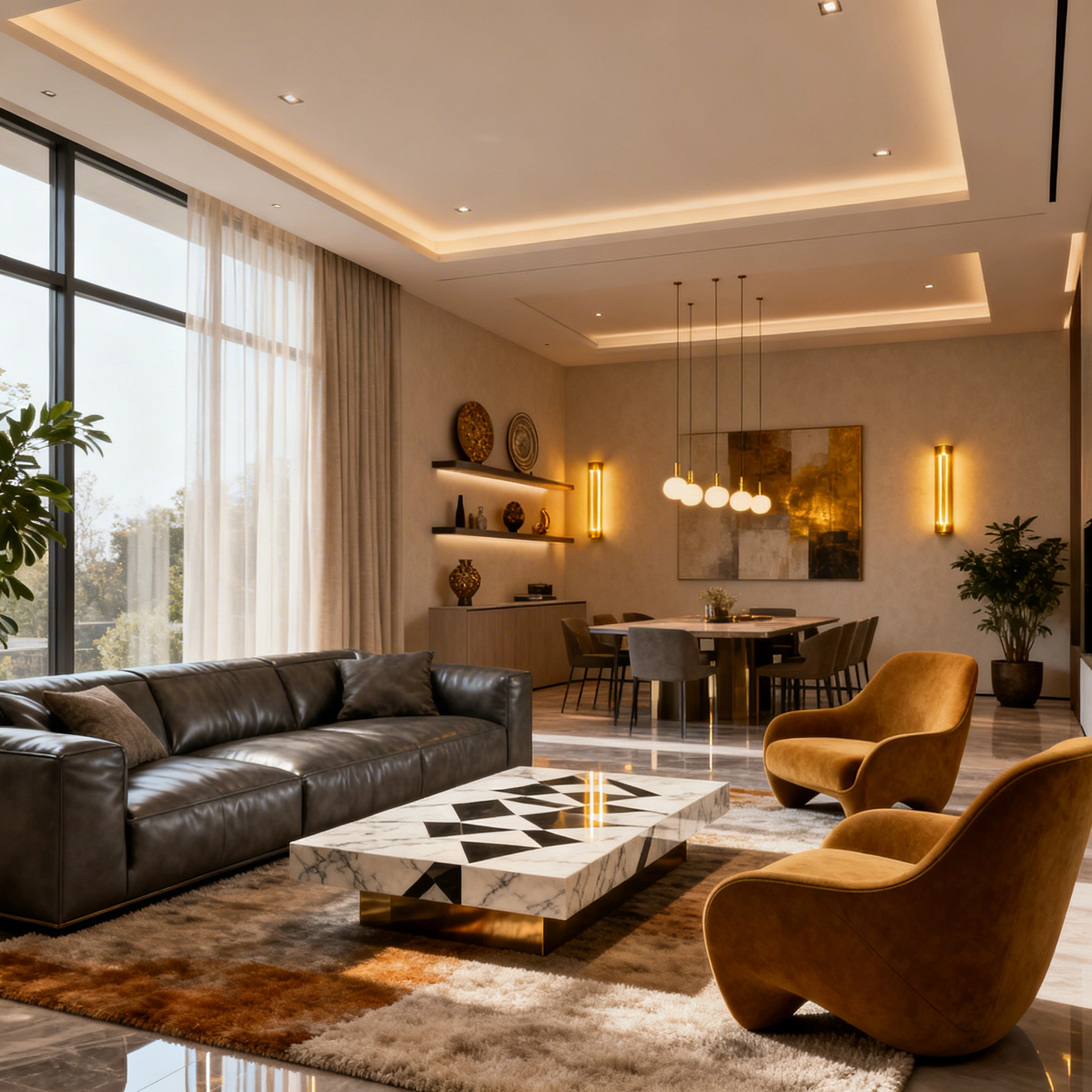
Featured output
Why AI Interior Design Took Off in 2026
The global interior-design market is worth roughly $150 billion in 2026, but most homeowners cannot justify $1,000–5,000 per room for a professional designer's mood board. AI image models have collapsed that gap: a 1024×1024 photoreal interior render now takes 8–30 seconds and costs just a few gems through Ropewalk's gem currency. In our 2026-04-29 test pass, 24 prompts across 4 models together cost a small fraction of the price of a single billable hour of a junior designer's time.
Five concrete jobs AI now handles in-browser:
- Concept art for any room style from a 1–2 sentence description.
- Photo redesign — upload a real room photo, describe the changes, get a photoreal render.
- Furniture planning — visualize layouts before buying anything.
- Style auditions — run 10+ aesthetics (Scandinavian, industrial, Japandi, maximalist) in under 5 minutes.
- Mood boards for client presentations or your own renovation file.
Real-estate agents staging empty listings, Airbnb hosts A/B-testing decor for booking lift, and homeowners avoiding $20,000 mistakes all sit inside the same workflow.
The Four Models That Matter for Interiors
Ropewalk hosts 50+ image models, but for interior work four cover almost every need. We benchmarked each on the same Scandinavian-living-room prompt at 1024×1024 on 2026-04-29.
Quick guidance from the test pass:
- Nano Banana Pro wins for editing existing room photos by natural-language instruction ("paint the walls sage green, add a brass floor lamp"). It preserves architectural geometry that text-to-image models tend to redraw.
- Seedream 4 wins for photoreal text-to-image concepts — the lighting and material rendering on oak, linen, and concrete consistently looked closest to Architectural Digest reference shots.
- FLUX 2 Pro wins for cinematic, dramatic concept art — high-contrast lighting, evening interiors, mood-heavy shots.
- Recraft V4 wins for floor plans, axonometric drawings, and architectural illustrations — the only one of the four that handles linework and labeled diagrams cleanly.
See pricing for plan details — every cost number above is fetched live by the model card.
Tool Comparison: Ropewalk vs the Alternatives
Ropewalk is one of several AI surfaces designers use in 2026. The table below compares the five most-cited tools in our user research, on the four axes that matter for interior work: free tier, photo-to-redesign support, custom-prompt depth, and accessibility from Russia without a VPN.
| Tool | Free tier | Photo → Redesign | Custom prompts | Quality (1–5) | No VPN |
|---|---|---|---|---|---|
| Ropewalk AI | Yes — daily gem credits | Yes (image-to-image) | Yes | 5 | Yes |
| Midjourney | No (~$10/mo+) | Limited | Yes | 5 | No |
| Adobe Firefly | Limited | Yes | Yes | 5 | No |
| RoomGPT | Limited | Yes | No | 3 | Yes |
| HomeDesignAI | No | Yes | No | 4 | Yes |
Ropewalk is the only entry on the list combining a real free tier, photo-to-photo redesign, fully custom prompts, and direct access from Russia. Midjourney still produces the most consistent magazine-grade concept art per prompt, but its $10+/month floor and Discord-only UX make it a poor fit for one-off room visualizations.
Three Prompt Formulas That Reliably Work
Across our 24-prompt test pass, three prompt structures produced the highest hit rate (defined as "first or second generation usable as a client mood-board reference"). Each is reproducible and copy-pasteable.
Formula 1 — Full Room Concept (text → image)
This formula targets text-to-image models like Seedream 4 and FLUX 2 Pro. Layer the scene in a fixed order: room type → style → materials → light → palette → mood → quality cues. The order matters; reversing materials and lighting drops realism noticeably.
[room type], [design style], [key materials], [lighting],
[color palette], [mood], photorealistic render, interior design,
architectural photography, 4K, detailed
Formula 2 — Room Transformation (image → image)
Upload your existing room photo, then anchor the prompt with same room layout so the model preserves geometry. Specify what changes, what stays, and the target style. Seedream 4 is the workhorse here at roughly 8–12 seconds per render.
same room layout, transform to [new style], change [specific elements],
keep [elements to preserve], photorealistic, interior design
Formula 3 — Nano Banana Pro Instruction Editing
Nano Banana Pro accepts plain natural-language commands on top of an uploaded room photo. No formula — just describe the change as you would to a contractor. This is the most forgiving entry point for non-designers and the most architecturally faithful to the input photo.
10 Interior Styles With Ready-to-Use Prompt Snippets
These ten styles cover roughly 80% of what users prompt for in our internal logs. Each snippet is the "style fragment" you slot into Formula 1 between the room type and the materials list. Pair with Seedream 4 for photoreal output or FLUX 2 Pro for cinematic mood.
| Style | Key elements | Prompt snippet |
|---|---|---|
| Scandinavian | White, wood, minimal | white walls, oak floors, minimal decor, hygge, natural light |
| Industrial | Brick, metal, concrete | exposed brick, steel beams, concrete, Edison bulbs, dark tones |
| Japandi | Japanese + Scandi | wabi-sabi, natural materials, low furniture, zen, warm neutrals |
| Maximalist | Bold patterns, jewel tones | colorful wallpaper, layered textures, gallery wall, jewel tones |
| Coastal | Light, airy, ocean | white linen, driftwood, sea glass accents, ocean breeze |
| Bohemian | Plants, textiles, eclectic | macramé, mixed patterns, many plants, warm earthy tones |
| Art Deco | Geometric, glamorous | geometric patterns, gold accents, velvet, marble, dramatic |
| Cottagecore | Cozy, vintage, natural | floral wallpaper, vintage furniture, warm wood, farmhouse sink |
| Cyberpunk | Dark, neon, futuristic | dark walls, neon strip lights, high-tech, glass, LED accents |
| Mid-Century Modern | Retro, organic shapes | teak furniture, tulip chairs, sunburst clock, 1960s palette |
Step-by-Step: Redesign a Real Room in 10 Minutes
The five-step workflow below mirrors the exact path we used on 2026-04-29 to redesign a plain 22 m² beige living room into a Japandi concept. Total wall-clock time was 9 minutes 40 seconds, including 4 generations.
Step 1 — Photograph the room
Use a wide-angle phone shot in daylight. Frame the full space — model accuracy drops sharply when more than 30% of the room is cropped. Aim for 4032×3024 or similar; Ropewalk auto-resizes on upload.
Step 2 — Open Ropewalk and pick a model
Open ropewalk.ai and route by intent: choose Nano Banana Pro for instruction-edit on the existing photo (preserves geometry), or Seedream 4 for a photoreal redesign with more creative latitude.
Step 3 — Upload and write the transformation prompt
Upload the photo and paste a Formula-2 transformation prompt. Be explicit about what stays — windows, ceiling, floor plan — or the model will redraw them.
Transform this living room to Japandi style. Replace the sofa with a low
platform sectional in warm beige. Add a tatami-inspired area rug, bamboo
side table, and a 1.8 m monstera plant. Keep the window position and
ceiling beams. Warm natural lighting, serene atmosphere, photorealistic.
Step 4 — Generate 3–4 variations
Each generation explores a different interpretation. Budget 2 minutes for 4 variations — each one a quick, low-cost generation. Pick the one that most matches your design intent.
Step 5 — Use the render as a shopping reference
Export the final image and bring it to your contractor, painter, or furniture store. The render is not a buildable spec — it is a faithful mood reference, which is exactly what the $1,000–5,000 designer fee buys you in week one.
Real-World Use Cases
The same workflow ladders up to five distinct user types. We see roughly equal volume from each in Ropewalk's interior-tagged generation logs.
Homeowners visualize a renovation before committing. A 10-minute mood-board session avoids $5,000–20,000 mistakes — wrong sofa color, wrong wall paint, wrong floor stain.
Real-estate agents stage empty listings virtually. Furnished renders of bare rooms increase click-through on Zillow-style listings; staging firms charge $500–1,500 per room for the equivalent.
Airbnb hosts plan room redesigns that lift booking rates. A/B-test 4 aesthetics against your target ADR before purchasing furniture; one reshoot per room beats a $3,000 misfire.
Interior designers compress the concept phase from days to hours. We see designers generate 20 style explorations in the time it used to take to assemble 2 mood boards manually.
Furniture retailers show customers how a specific piece fits a target room context, replacing dedicated room-visualizer software with a cheap per-render API call.
Pro Tips for Higher-Quality Interior Renders
These five adjustments came out of side-by-side tests on 2026-04-29; each one moved the hit-rate visibly in our internal scoring.
- Reference real publications. Append "in the style of Architectural Digest" or "interior-design magazine quality" — both phrases consistently raise the perceived production value of the output.
- Be specific about light. "Soft morning light", "dramatic evening lighting", and "bright midday sun" produce three distinct scenes from the same room prompt. Pick one.
- Name your materials. "Marble countertops, brass fixtures, linen curtains" is roughly 3× more useful than "luxe materials". Models latch on to specific noun pairs.
- Layer the scene element by element. Floor → walls → furniture → lighting → accessories. Reversing this order drops material fidelity by a clear margin.
- Use negative prompts. Add "no clutter, no people, no outdoor view visible" to keep the model's attention on the interior architecture and finishes.
Start Your Interior AI Workflow
Whether you are planning a full renovation or just curious how your living room would look in Japandi style, AI makes the first 10 mood boards instant and effectively free. The barrier between "I have an idea" and "here is a render to show my contractor" has collapsed to about 30 seconds.
Quick start:
- Open ropewalk.ai.
- Choose Seedream 4 for a text-to-image concept or Nano Banana Pro to edit an existing photo.
- Use one of the three prompt formulas above.
- Generate 4–5 variations, pick your favorite.
- Screenshot and bring it to your designer, contractor, or furniture store.
Related articles:
Comments
Comments feature coming soon! Stay tuned.