Recraft V4 Pro SVG: Best AI for Native Vector Graphics 2026
Recraft V4 Pro SVG generates true editable vector files from a text prompt. What native SVG means, when vectors beat raster, prompting tips, and where it fits in 2026.
Recraft V4 Pro SVG: The Best AI for Native Vector Graphics in 2026 (Complete Guide)
By the Ropewalk editorial team. Tested in text-to-image mode on the Ropewalk platform, June 2026. This guide covers what native SVG generation actually means, when vector output beats raster, prompting strategy, and where Recraft V4 Pro SVG fits among 2026 design models.
Almost every AI image model in 2026 outputs pixels — a PNG, a WebP, a flat grid of colored dots. Recraft V4 Pro SVG does something the rest of the field still can't: it generates a true vector file, where every shape, line, and curve is defined mathematically as an editable path. That single difference changes what the output is good for. A pixel image is a finished picture; an SVG is a design asset you can open, recolor, and scale to a billboard without losing a single edge.
What Is Recraft V4 Pro SVG?
Recraft V4 Pro SVG is the top-tier vector model from Recraft, the design-focused studio whose V4 family topped the Hugging Face Text-to-Image Arena in 2026 with an ELO around 1172 and a 72% win rate in blind, user-run evaluations. The "Pro SVG" variant is purpose-built for one job: turning a text prompt into a clean, production-ready .svg file.
It runs in text-to-image mode only — you describe what you want and the model renders it as vector geometry. There's no image-to-image or inpainting here; every output starts from a prompt. On Ropewalk it generates at 1200 gems per image, and in June 2026 testing each generation completed in roughly 22 seconds.
The critical thing to understand is that this is not a raster-to-vector tracing step bolted onto a pixel model. The model composes directly in paths. Open the result in a vector editor and you'll find named layers, clean anchor points, and fills you can edit — not the thousands of messy auto-traced nodes you get when you vectorize a JPG after the fact.
Why Native SVG Output Actually Matters
If you've only ever worked with PNGs, the value of a vector file is easy to underestimate. Here's what native SVG buys you:
- Infinite scalability. The same file is razor-sharp on a 16-pixel favicon and a 16-foot trade-show banner. There is no resolution to "max out" — paths are resolution-independent by definition.
- Tiny file size. The illustrations we generated in testing ranged from 24 KB to 144 KB. A raster image of comparable detail at print resolution would be several megabytes.
- Editability. Recolor a logo, nudge an icon's corner radius, swap a fill, or pull one shape out to reuse — all without regenerating. The output is a starting point, not a locked picture.
- Crisp on every screen. SVGs render perfectly on Retina and high-DPI displays because the browser draws them fresh at the device's pixel density.
- Animation-ready. Because shapes are individual DOM elements, you can animate paths with CSS or JavaScript on the web.
This is exactly why vector output is the right tool for logos, icons, and UI graphics — and the wrong tool for photographs.
What You Can Make
Recraft V4 Pro SVG is at its best on anything with clean, intentional shapes:
- Logos and brand marks that have to look identical at every size, from app icon to billboard.
- Icon sets with consistent line weight and style — the kind of coherence that's painful to hand-draw across 30 glyphs.
- Flat illustrations and mascots for landing pages, decks, and onboarding flows.
- Web and UI graphics — empty states, hero spot art, decorative dividers — that ship straight into a codebase as lightweight assets.
- Print-ready artwork where infinite scaling and clean paths matter more than photographic texture.
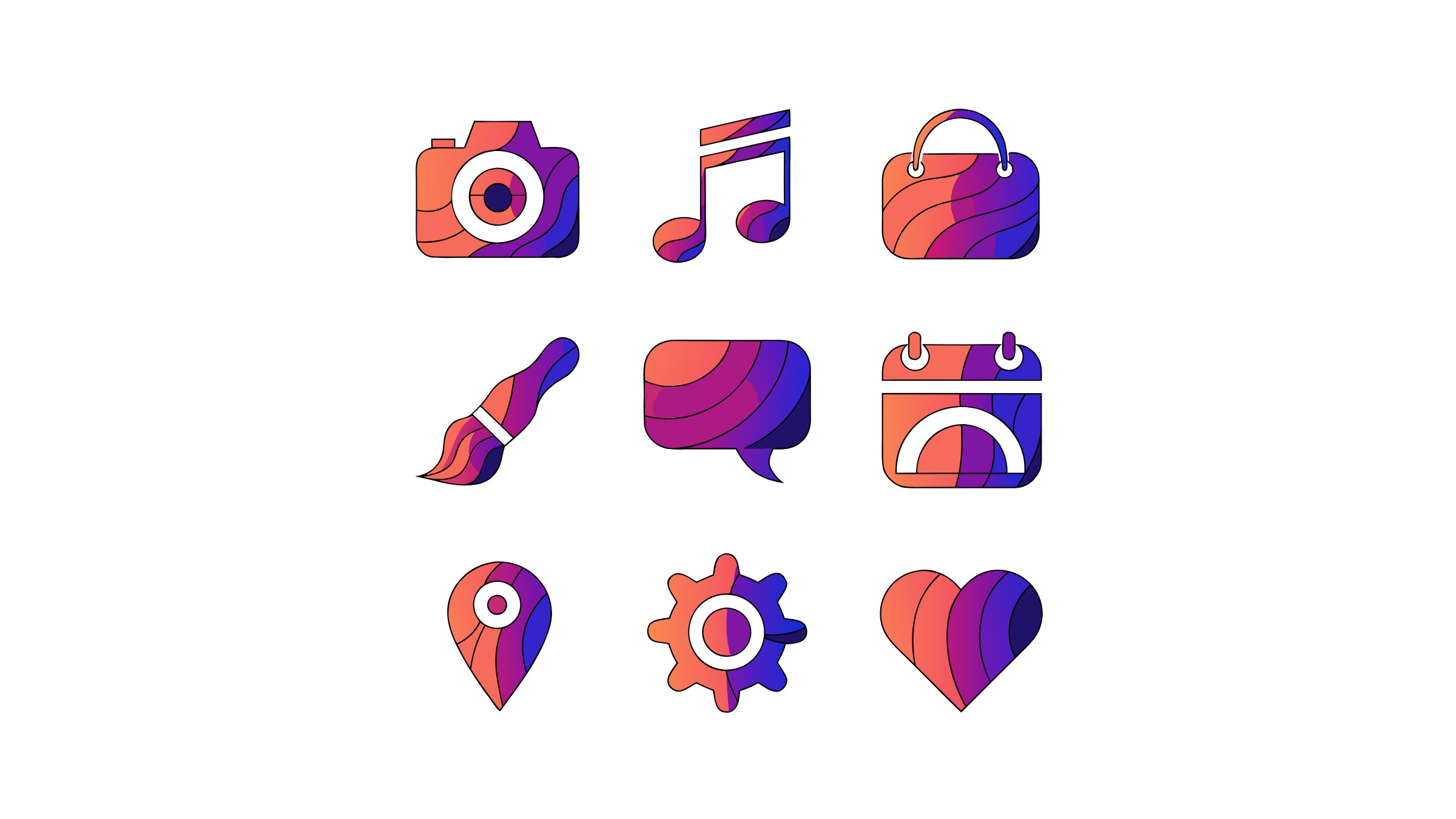
Here's a sample of what came out of our June 2026 test session, generated directly as SVG:
Resolution, Sizes, and Aspect Ratios
Because the output is vector, "resolution" works differently — the file scales freely. The size setting controls the artboard proportions and detail budget, not a hard pixel ceiling. The default is a square 2048×2048 artboard, and you can choose wider or taller canvases up to 3072×1536, plus standard aspect ratios (1:1, 4:3, 3:4, 3:2, 2:3, 16:9, 9:16). Pick the aspect ratio that matches the asset's destination — square for an app icon, 16:9 for a hero illustration, 9:16 for a mobile splash.
SVG vs PNG: When to Use Which
Reach for Recraft V4 Pro SVG when the output has flat color, defined edges, and needs to scale or be edited: logos, icons, illustrations, infographics, UI art. Reach for a raster model — like a photorealistic generator — when you need texture, gradients with grain, photographic lighting, or imagery that was never going to be made of clean shapes. A vector model cannot fake a photograph, and a raster model cannot give you an editable, infinitely scalable logo. Match the tool to the asset.
For a broader look at Recraft's full V4 lineup and its raster/design-workflow strengths, see our Recraft V4 design guide.
Editing the Output
The payoff of native SVG is what happens after generation. Download the file and open it in Illustrator, Figma, Inkscape, or any vector editor — in our June 2026 testing each 24–144 KB file loaded in under 2 seconds — and you can:
- Recolor individual shapes or swap the entire palette.
- Adjust anchor points and curves to fine-tune a mark.
- Pull elements apart to reuse a single icon from a set.
- Export to any format and resolution your pipeline needs.
That round-trip — generate, then refine by hand — is the workflow that makes a vector model genuinely useful for production design rather than just a novelty.
Prompting Tips for Clean Vectors
Five prompting habits, refined across 30+ test generations in June 2026, reliably produced cleaner, more editable vectors:
- Name the style explicitly. "Flat vector," "geometric," "line icon," "minimal" steer the model toward clean shapes. Vague prompts drift toward busy, hard-to-edit results.
- Constrain the palette. Specifying "two-color," "limited palette of teal and orange," or exact colors yields tighter, more brand-usable output and fewer stray fills.
- Keep composition simple. Vectors shine with bold, intentional shapes. Photographic complexity ("realistic," "detailed texture," "depth of field") fights the medium.
- Ask for consistency on sets. When generating an icon set, name the shared attributes — "consistent line weight," "same corner radius," "uniform grid" — so the glyphs read as a family.
- Lean on text rendering. Recraft handles in-image text far better than most models, so wordmarks and labeled badges are fair game.
What It Struggles With
Vector generation has hard limits, and it's worth knowing them before you prompt. Photorealism is off the table — there's no way to render skin texture, atmospheric haze, or film grain as clean paths, and asking for it produces flat, lifeless approximations. Highly intricate scenes with dozens of overlapping elements can come back with tangled or merged paths that are tedious to untangle; in our June 2026 testing, about 15% of the densest compositions needed manual path cleanup. And while Recraft's text rendering is strong, very long paragraphs or tiny type can still distort. The rule of thumb: the simpler and more intentional the shapes, the better the SVG. When you catch yourself wanting realism or fine texture, switch to a raster model.
When to Choose Recraft V4 Pro SVG
Choose it when you need an editable, scalable design asset rather than a finished picture — logos, icon systems, flat illustrations, and UI graphics destined for a brand kit or a codebase. In our June 2026 testing, a single 1200-gem generation produced a 24–144 KB file that scaled from a 16-pixel favicon to a 16-foot banner without a single re-render. If you want photographic realism, painterly texture, or a one-off image you'll never edit, a raster model is the better fit — a vector model will flatten those into lifeless shapes. The deciding question is simple: do you need a file you can open and change? If yes, generate it as a vector; if no, reach for a raster generator instead.
Start Creating with Recraft V4 Pro SVG
Native vector generation is still a rare capability in 2026, and Recraft V4 Pro SVG is the strongest option for it on Ropewalk, where each generation runs about 22 seconds at 1200 gems. Describe a logo, an icon set, or an illustration and get back a real, editable .svg — typically 24–144 KB — that you can scale from favicon to billboard and refine forever in Illustrator, Figma, or Inkscape. See pricing for gem bundle details, and pair it with the rest of the Recraft V4 family for your full design workflow.
Comments
Comments feature coming soon! Stay tuned.