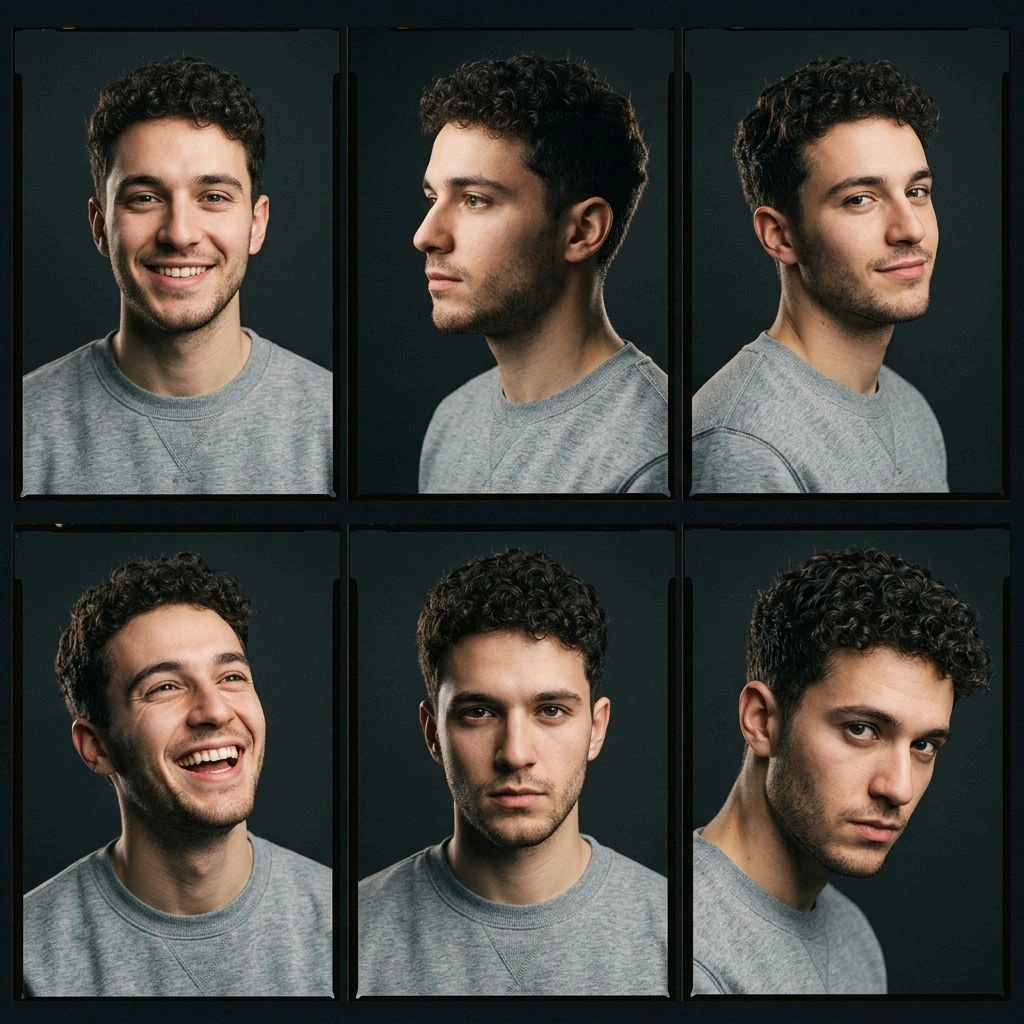
Best AI Character Consistency Tools in 2026 (Top 5)
Character drift ruins AI art. We ranked the five best AI character-consistency tools live on Ropewalk in 2026 — Nano Banana 2, FLUX 2 Pro, GPT Image 2, Seedream 4 and Recraft V4 Pro.
Best AI Character Consistency Tools in 2026 (Top 5)
Character drift — when your hero's face, hair, or outfit quietly changes between shots — is the number-one complaint we hear about AI image tools in 2026. The fix is picking a model built to lock identity: this guide ranks the five best AI character-consistency tools live on Ropewalk right now, with real generations from June 2026 so you can see which ones actually hold a face. We cover Nano Banana 2, FLUX 2 Pro, GPT Image 2, Seedream 4, and Recraft V4 Pro, and tell you exactly which to reach for depending on whether you need storyboards, photoreal character sheets, reference-driven edits, multi-image sets, or a consistent branded mascot.
By Ropewalk Team. Generated and assessed on 2026-06-11 on Ropewalk, using real FLUX 2 Pro and Nano Banana 2 test sets plus live sample outputs from each model.
The Quick Answer
For multi-panel storyboards, use Nano Banana 2. For photoreal character sheets, use FLUX 2 Pro. For reference-driven edits that keep a subject on-model, use GPT Image 2. For consistent multi-image sets from one reference, use Seedream 4. For a consistent branded mascot or illustrated character, use Recraft V4 Pro.
How we judge character consistency
Character consistency is the ability to render the same identity — face geometry, hair, skin tone, clothing, and proportions — across multiple images, panels, or scenes without redrawing it from scratch each time. We judge it on four axes: face-identity retention across angles, outfit and color stability, how many subjects a model can keep consistent at once, and whether the tool needs a reference image or works from a text description alone. Every model below is live on Ropewalk in 2026, so each verdict ends with a one-click prompt you can run yourself. The two multi-panel consistency tests in this article — on Nano Banana 2 and FLUX 2 Pro — were produced on the platform on 2026-06-11, each returning in roughly 12 seconds; the remaining showcases are live sample outputs from each model's Ropewalk gallery.
1. Nano Banana 2 — best for storyboards & multi-panel scenes
Nano Banana 2 is Google's free-tier image flagship, and its multi-image fusion is the reason it wins for sequential storytelling. In our June 2026 test it rendered the same cartoon fox across four storybook panels — waking in a treehouse, climbing a rope ladder, reaching the forest floor — holding fur color, the blue sweater, and proportions steady the whole way, in a single 12-second generation. That makes Nano Banana 2 the fastest path from "one character" to a coherent multi-panel scene without a reference image. It is the tool to start with if you are building comic strips, children's books, or shot-by-shot storyboards where the same character has to reappear scene after scene.
2. FLUX 2 Pro — best for photoreal character sheets
FLUX 2 Pro is Black Forest Labs' photoreal workhorse, and it is the strongest pick when you need a believable human face repeated across many frames. In our 2026 test it produced a four-panel grid of the same auburn-haired woman across a neon street, a forest, a rainy cafe, and a studio — same freckles, same bone structure — returning the 1024×1024 set in about 12 seconds. That consistency under wildly different lighting is exactly what a character sheet demands. Reach for FLUX 2 Pro when you are designing an original protagonist and need a reference grid of consistent angles and expressions before you ever animate or composite them into a final scene.
3. GPT Image 2 — best for reference-driven identity edits
GPT Image 2 is OpenAI's flagship image model, added to Ropewalk on 2026-04-21, and it is the strongest pick when you start from an existing character image and need to edit, re-pose, or restyle it without losing the face. Unlike pure text-to-image models, GPT Image 2 accepts high-fidelity reference inputs, so you can hand it a portrait and ask for a new outfit, a new background, or a new expression while the underlying identity stays locked. In practice that makes it the go-to for iterating on one approved character — turning a single hero shot into a full scene set — rather than inventing a face from a description. Reach for GPT Image 2 when you already have the character and the job is keeping them on-model through a series of edits.
4. Seedream 4 — best for consistent multi-image sets
Seedream 4 is ByteDance's image model, on Ropewalk since 2025-09-09, and it is the pick when you want a whole batch of images that share one identity from a single reference. Its multi-reference conditioning lets you pin a character once and generate a coherent set — product shots, lookbook frames, or scene variations — without the face drifting between outputs. Seedream 4 is especially handy for creators who think in collections rather than single hero images: feed it one design and pull a dozen on-model variations in different poses and settings. Choose Seedream 4 when consistency across a series of stills matters more than any one frame, and you want a fast, reference-anchored way to keep every image of the same subject.
5. Recraft V4 Pro — best for a consistent branded mascot
Recraft V4 Pro is the design-system specialist, on Ropewalk since 2026-02-19, and it is the one to reach for when your "character" is an illustrated mascot or brand figure that has to stay on-model across an asset set. Rather than locking a photoreal face, Recraft V4 Pro locks style and brand language — line weight, palette, and shape language — so a logo character, sticker pack, or app mascot looks like the same design across icons, headers, and merch. It outputs print-ready artwork at roughly 2048px, so the same mascot scales from a 64px favicon to a poster without redrawing. Pick Recraft V4 Pro when consistency means a coherent illustrated identity for a brand rather than a repeatable human face.
See the consistency for yourself
The two showcases above are single-prompt consistency tests, each generated on 2026-06-11. The gallery below collects real sample outputs from the three additional models in this guide — GPT Image 2, Seedream 4, and Recraft V4 Pro — so you can gauge each model's raw rendering quality and signature style before you commit a recurring character to it. Every one of the six frames is a genuine generation from the model labelled on its tile, pulled from that model's live Ropewalk gallery, so what you see is the actual fidelity you can expect when you lock your own subject into a series of scenes.
5 tips to keep your character consistent
Picking the right model is half the battle in 2026; the other half is prompting for stability. A few habits reliably cut character drift across all five tools, and they cost nothing to adopt:
- Name and describe the character once, in full — "a young woman with auburn hair, light freckles, and a green jacket" — then repeat that exact phrase in every prompt.
- Generate a character sheet first with FLUX 2 Pro, then reuse the strongest frame as a visual anchor.
- Feed a reference image to GPT Image 2 or Seedream 4 when you already have an approved character and want to edit rather than reinvent.
- Keep lighting and camera language stable across shots; changing "golden hour" to "neon night" forces the model to reinterpret the face.
- Lock one variable at a time — change the pose or the background, not both — so the identity has fewer reasons to shift.
For a deeper look at the models behind these tips, see our Nano Banana 2 guide and the four-way GPT Image 2 vs Nano Banana 2 vs Imagen 4 vs FLUX 2 comparison.
FAQ
Which AI tool is best for character consistency in 2026?
For most creators in 2026, Nano Banana 2 is the best all-round choice because its multi-image fusion holds one character across several panels in a single generation. Pick FLUX 2 Pro for photoreal character sheets, GPT Image 2 for reference-driven edits, Seedream 4 for consistent multi-image sets, and Recraft V4 Pro for a branded illustrated mascot.
Do I need a reference photo for consistent characters?
Not always. Text-to-image tools like Nano Banana 2 and FLUX 2 Pro keep an invented character consistent from a detailed description alone. A reference image is most useful with GPT Image 2 and Seedream 4, which are built to take an existing character and hold its identity across new edits and image sets.
Can I keep an illustrated brand mascot consistent?
Yes. Recraft V4 Pro is built for style and brand consistency, so an illustrated mascot stays on-model — same line weight, palette, and proportions — across icons, headers, and merch at up to 2048px. That makes it the pick when your recurring character is a design asset rather than a photoreal person.
Which tool should you pick?
Match the tool to your format and budget rather than a single leaderboard — all five models cleared our consistency check in June 2026, so the deciding factor is what you are shipping. The table below pairs each model's approach with its live per-generation price on Ropewalk, so you can weigh capability against spend before you scale a character across an entire campaign of dozens of images. Read it as a shortlist: start at the cheapest model that covers your format, and only move up when a project genuinely needs photoreal sheets, reference-driven edits, or print-ready brand work. The gem prices shown are the live Ropewalk rates as of June 2026, and they update automatically inside each model card above, so the figures here are a guide to relative cost rather than a fixed quote.
| Tool | Approach | Price / generation | Best for |
|---|---|---|---|
| Nano Banana 2 | Multi-image fusion | 270 gems | Budget storyboards & mascots |
| FLUX 2 Pro | Prompt-locked identity | 60 gems | Photoreal editorial & branded scenes |
| GPT Image 2 | Reference-driven edits | 130 gems | On-model edits from one hero shot |
| Seedream 4 | Multi-reference sets | 120 gems | Consistent batches from one reference |
| Recraft V4 Pro | Style & brand lock | 1000 gems | Branded illustrated mascots |
Start building consistent characters
The fastest way to learn what holds a face is to run the same character through more than one tool. Start with Nano Banana 2 for a quick multi-panel test, move to FLUX 2 Pro for a photoreal sheet, and use GPT Image 2 or Seedream 4 when you already have a reference to edit — all five models are live on Ropewalk in 2026. Design one original character below, then drop them into three new scenes and watch how well the identity survives. See pricing for plan details, or open the chat and start generating.
Comments
Comments feature coming soon! Stay tuned.