AI YouTube Shorts Thumbnails: 7 Templates (2026)
Seven vertical (9:16) YouTube Shorts thumbnail templates you can generate with GPT Image 2 on Ropewalk in about 45 seconds each — with real prompts and outputs.
AI YouTube Shorts Thumbnails: 7 Templates (2026)
A YouTube Shorts thumbnail lives inside a 9:16 (1080×1920) frame and gets a fraction of a second to earn a tap before the viewer flicks to the next clip. This guide hands you 7 vertical thumbnail templates you can generate with GPT Image 2 on Ropewalk in roughly 45 seconds each — no Photoshop, no designer, no stock-photo hunt. Every example below was produced on 2026-06-26 from a single text prompt, then dropped straight onto a Shorts cover. Vertical thumbnails are their own discipline, and the templates here are tuned for the phone screen where Shorts, Reels, and TikTok actually get watched.
By Ropewalk Team. Tested on 2026-06-26 — every thumbnail in this guide was generated with GPT Image 2 at 1080×1920 (9:16), each in about 45 seconds.
Why Shorts thumbnails are a different craft
Shorts thumbnails are not shrunk-down YouTube thumbnails. A standard YouTube thumbnail is a 16:9 (1280×720) landscape card; a Shorts cover is the vertical 9:16 (1080×1920) first frame, viewed on a phone held in one hand. That changes everything: the subject's face sits in the upper-middle third, text stacks vertically instead of running wide, and the bottom 15% is often hidden behind the title and channel handle. If you need the classic horizontal format, our AI YouTube thumbnail guide covers that. For the vertical feed, the 7 templates below put a high-contrast face, one bold idea, and 2–3 words of legible text into the frame — the three things that survive at thumbnail size on a 6-inch screen.
Template 1 — The shocked-face reaction hook
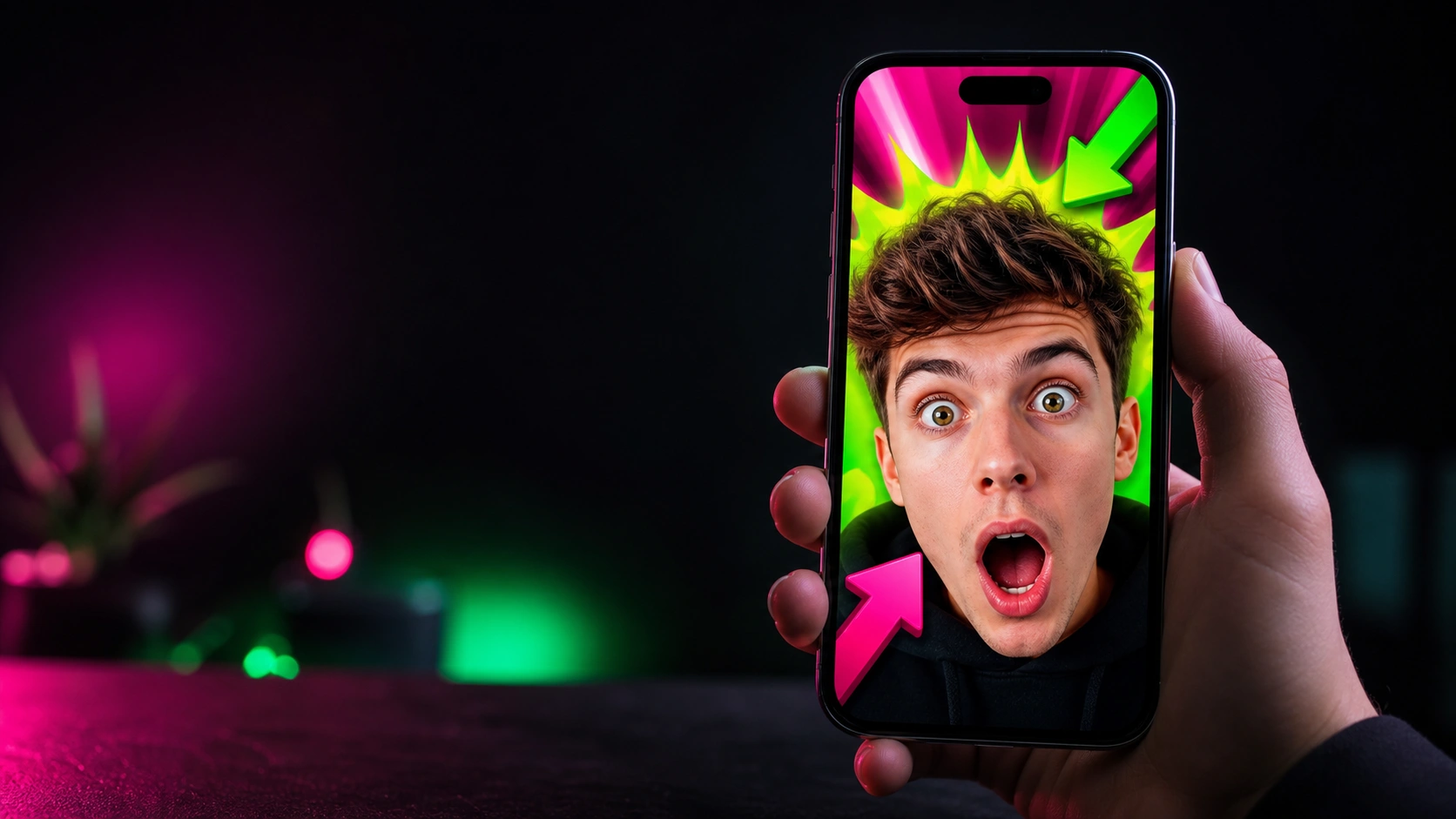
The shocked-face hook is the highest-leverage Shorts template, because an open-mouthed, wide-eyed expression reads clearly even at 320 pixels wide. GPT Image 2 renders exaggerated emotion and a glowing accent burst in one pass, so a gaming or reaction creator can ship a cover in under 60 seconds. Keep the face on the left or center, leave the top 20% clear for your title, and let one number — a subscriber milestone, a score, a price — carry the curiosity. In our 2026-06-26 test run, the prompt below produced crisp, legible burst text on the first try; GPT Image 2 is one of the stronger models for in-image lettering, which matters when the word is the hook.
Template 2 — Crave-worthy food and recipe covers
Food Shorts live or die on the first frame, and a vertical close-up of a cheese pull, a pour, or rising steam fills the 1080×1920 canvas with appetite appeal. The trick is scale: shoot the dish at extreme close-up so texture survives the feed, then anchor a 2–3 word label like "60-SEC RECIPE" in a corner burst. GPT Image 2 handles glossy highlights and realistic steam well, and it keeps a small reaction face from competing with the food. For a 30–60 second recipe Short, generate three variations, pick the one with the strongest contrast, and reserve the top third for your title. The same prompt re-runs in about 45 seconds, so A/B testing two covers costs you a minute and a half.
Template 3 — Bold text that survives the feed
Text-driven thumbnails win for storytime, commentary, and "you won't believe" Shorts, where the headline carries more weight than the image. The rule for 9:16 is brutal brevity: 2–4 huge words, stacked, occupying the lower 40% of the frame so the title bar above stays readable. GPT Image 2 is unusually good at rendering clean, heavy sans-serif lettering directly in the image — in our 2026-06-26 test it produced "STORYTIME: I CAN'T BELIEVE THIS" with sharp, evenly-kerned type, which most image models still mangle. Pair the text with a single moody, lit-by-phone face for tension. Because the words live inside the generated image, you skip a separate caption-design step entirely, and the cover reads identically whether it's 1080px wide or shrunk to a feed thumbnail.
Template 4 — Glow-up and transformation reveals
Transformation thumbnails power beauty, fitness, and DIY Shorts, where the promise is a visible before-to-after change. For the vertical frame, lead with the "after" — a radiant, smiling subject — and let a short label like "GLOW UP" plus an arrow imply the journey, rather than splitting the frame 50/50. GPT Image 2 renders dewy skin, sparkles, and soft ring-light flattering enough for the beauty niche, and it keeps the pink-and-magenta palette saturated without blowing out the highlights. Generate the reveal at 1080×1920, keep the top 20% clear for your hook, and the cover slots straight onto the Short. In our test the GLOW UP example below came back clean on the first generation, color-graded and ready to publish in about 45 seconds.
Template 5 — High-stakes "results" thumbnails
Results thumbnails drive finance, fitness, and side-hustle Shorts, where a concrete number is the entire pitch. The vertical layout wants the proof in the subject's hands — cash, a chart, a physique — with one big figure like "$10K/MONTH?!" or "30-DAY ABS" in a corner burst. GPT Image 2 composes a shocked face, a glowing green chart, and legible numerals together, which is exactly the stack these niches use. Keep the claim honest to your actual content; the thumbnail sets an expectation the 30–60 second video has to pay off, or watch-time collapses. Generate two versions — one number-forward, one face-forward — and let the first 24 hours of data pick the winner. Each re-roll is roughly 45 seconds and one prompt edit away.
A vertical thumbnail gallery
The four covers below were each generated from one GPT Image 2 prompt at 1080×1920 on 2026-06-26 — a gaming reaction, a food close-up, a fitness jump, and a finance reveal. Hover any tile to see its prompt and re-run it on Ropewalk. Notice the shared grammar: a high-contrast subject, the top fifth left clear for a title, and 2–3 words of in-image text. That consistency is what makes a channel's Shorts feed feel like a brand instead of a pile of one-off clips.
Your 4-step Shorts thumbnail workflow
Building a Shorts cover with GPT Image 2 takes four steps and under two minutes:
- Pick a template from the five above that matches your niche — reaction, food, text, transformation, or results.
- Write one prompt describing the subject, the 2–3 words of on-image text, and the mood. Always include "vertical 9:16" and "space at top for title text".
- Generate and review — each pass is about 45 seconds. Roll two or three variations and pick the highest-contrast one.
- Set it as your Shorts cover and keep your top 20% clear, because YouTube overlays the title and your handle there on a phone.
The whole loop fits in a coffee break, and because the text is baked into the 1080×1920 image, there's no second editing app in the chain.
Tips that lift tap-through on the phone
Small choices separate a cover that gets tapped from one that gets scrolled past on a 6-inch screen:
- One idea per thumbnail. A 9:16 frame can't hold two competing hooks; cut to a single face and a single number.
- 2–4 words, maximum. Anything longer is unreadable at feed size, and GPT Image 2 keeps short headlines crisp — so don't waste that on a sentence.
- High contrast wins. Dark backgrounds with one neon accent pop harder than busy, evenly-lit scenes in the autoplay feed.
- Keep the top fifth empty. The title and channel handle sit there, so design around a clear top 20%.
- Match the promise. A thumbnail that oversells tanks the 30–60 second retention the algorithm actually rewards.
For a deeper look at the model itself — its settings, costs, and limits — see the full GPT Image 2 guide.
Start making your Shorts thumbnails
You now have 7 vertical templates, real GPT Image 2 outputs to copy, and a 4-step workflow that fits in two minutes. Pick the template closest to your next Short — reaction, food, text, transformation, or results — edit the prompt to your own subject and headline, and generate the cover at 1080×1920. Roll two or three variations each time, because at roughly 45 seconds per pass you can A/B test a full set of covers before your video even finishes uploading. Keep the top 20% clear for YouTube's title overlay, hold your text to 2–4 words, and lean on one high-contrast face per frame. Everything in this guide was generated on 2026-06-26 from a single prompt each, so you are not chasing a workflow we haven't run ourselves. The fastest way to start is the reaction hook below — change the milestone number to yours and run it.
Comments
Comments feature coming soon! Stay tuned.