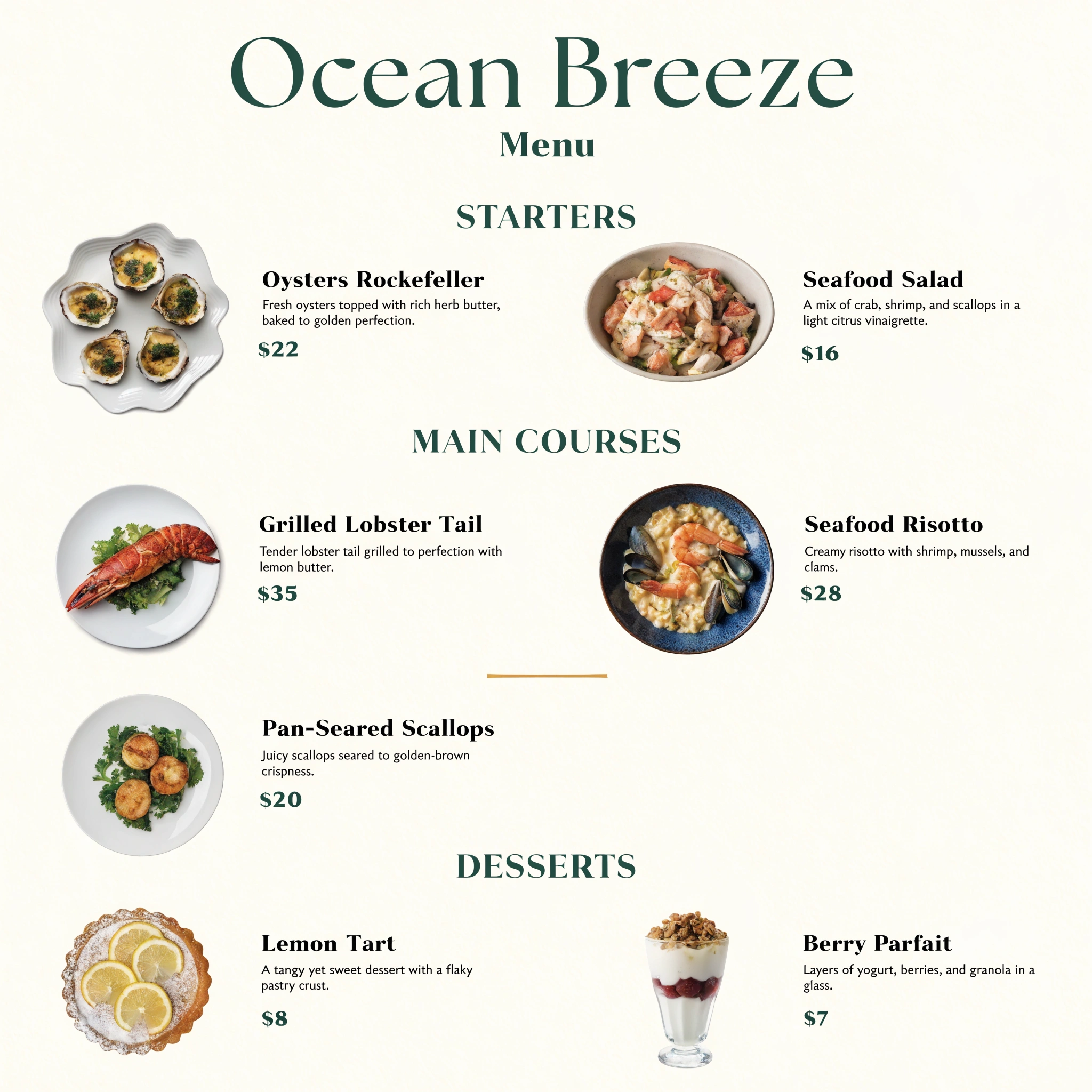
AI Restaurant Menu Design: 5 Menu Styles for 2026
See five AI-designed restaurant menus — fine dining, cafe, cocktail bar, taqueria and a chalkboard — each generated from one Recraft V4 Pro prompt, with the exact prompts to copy.
AI Restaurant Menu Design: 5 Menu Styles for 2026
A studio-designed restaurant menu typically costs $300–$1,500 and takes a week of revisions. In 2026, Recraft V4 Pro generates a fully typeset menu — section headers, dish names, descriptions, prices, and decorative borders — in about 24 seconds, so you can test five directions before lunch. This guide walks through five menu styles, with the exact prompts and real outputs we generated on Ropewalk on June 19, 2026, plus tips for getting a print-ready file at the end.
By Ropewalk Team. Tested on 2026-06-19 — every menu shown below was generated with Recraft V4 Pro on Ropewalk, no manual editing.
Why design a restaurant menu with AI in 2026
Restaurant menus are typography-first design problems: legible headers, aligned price columns, tasteful dish descriptions, and a border that matches the room. Recraft V4 Pro is built for exactly this — it renders crisp, readable text inside an image, which most general image models still struggle with. Each generation finishes in 22–28 seconds, so iterating on layout is cheap. We generated all five menus in this article from a single prompt each, with no Photoshop pass. For a working restaurant, that means you can mock up a seasonal insert, a brunch board, and a cocktail list in one sitting in 2026, then hand the strongest direction to a printer or refine the wording yourself.
Fine dining: typographic elegance
Fine-dining menus live or die on restraint — generous margins, a confident serif, and a palette that reads as expensive. The Italian trattoria menu below was produced in one Recraft V4 Pro generation at 2048×2048: four legible courses (Antipasti, Primi, Secondi, Dolci), aligned prices, and a delicate botanical border on deep forest green. Notice the typography holds up at full size, which is the hard part for AI text. For an upscale room, prompt for a specific cuisine and a two-color palette plus one metallic accent; naming the courses explicitly keeps the model from inventing filler sections.
Cafés and brunch: clean and modern
Café and brunch menus favor air over ornament — lots of white space, a friendly geometric sans-serif, and one warm accent color. The Scandinavian café menu below groups items under Coffee, Brunch, and Pastry, each with a short description and a price, and even places a small line-art cup motif without crowding the layout. This style scales down well to a single A5 card or a counter board. When you prompt, ask for "generous negative space" and name two or three sections only; a café menu with more than three columns starts to feel like a diner placemat rather than a 2026 specialty-coffee shop.
Cocktail and wine lists: low-light glamour
Cocktail and wine lists are read in dim rooms, so contrast matters more than color: near-black backgrounds, a metallic accent, and type large enough to scan by candlelight. The art-deco bar list below splits into Signatures, Classics, and Wine by the Glass, with each drink getting a one-line description and a price in brushed gold. Recraft V4 Pro held three columns legibly at 2048×2048, which is exactly the density a real bar menu needs. For drinks lists, prompt for "dramatic low-key lighting" and a deco or geometric border; the darker the layout, the more a single gold or emerald accent does the styling work for you.
Street food and bold concepts
Street-food and fast-casual concepts can be loud — saturated color, energetic display type, and playful illustration that a fine-dining room would never allow. The taqueria and mezcal menu below uses hot coral, marigold, and lime on charcoal, with papel-picado line art framing Tacos, Antojitos, and Mezcal sections. Bold does not mean illegible: prices still align and dish names stay readable, which is the balance to aim for. When you prompt a high-energy concept, name the cuisine and three vivid accent colors, and ask for a culturally specific border motif so the design feels designed rather than generic clip-art slapped onto a 2026 template.
Daily specials and chalkboard boards
Daily-specials boards are the highest-turnover menu a restaurant makes — they change weekly, so generating them with AI saves the most time over a year. The chalkboard below renders hand-lettered Today's Specials with four seasonal dishes, prices, and small vegetable illustrations, photographed in a warm bistro setting so it reads as a real board on a counter. This is the one menu style where a slightly imperfect, hand-drawn look is a feature, not a flaw. Prompt for "chalk lettering with hand-drawn flourishes" and name the season; regenerating next week's specials then takes about 24 seconds instead of an hour with a paint pen.
A gallery of AI menu styles
The four menus below were each generated from a single Recraft V4 Pro prompt at 2048×2048 — no two share a layout, palette, or typeface, which shows how far one model stretches across restaurant categories. Use the gallery as a mood board: hover any tile to see its prompt, then click Try to open it in the editor and swap in your own dish names and prices. Across the five total menus we generated for this guide on June 19, 2026, every one rendered legible section headers and aligned price columns on the first attempt, which is the practical bar a menu has to clear.
Getting a print-ready menu file
Print-ready is mostly about resolution and aspect ratio. A single-page menu prints cleanly from a 2048×2048 or larger image at 300 DPI for sizes up to about A5; for a full A4 sheet, generate at the largest resolution available and keep text away from the outer 5 mm so nothing is lost to printer trim. Recraft V4 Pro outputs both an optimized web file and an original PNG — use the PNG for printing. Treat AI output as a near-final proof: confirm spelling and prices yourself, because models occasionally misspell a dish, then export. Try the print-oriented prompt below and adjust the section names to your own kitchen.
Frequently asked questions
How much does it cost to design a menu with AI?
Each Recraft V4 Pro menu generation on Ropewalk finishes in roughly 24 seconds. Designing five directions therefore takes about two minutes total — far less than a single studio revision round, which is why testing several styles before committing is realistic.
Can AI put real prices and dish names on the menu?
Naming your sections, dishes, and prices explicitly in the prompt produces aligned, legible text in the output. Always proofread the result, since image models occasionally misspell a word; fixing the prompt and regenerating takes about 24 seconds.
What image size works for printing a restaurant menu?
A 2048×2048 PNG prints cleanly at 300 DPI up to roughly A5. For larger formats like A4, generate at the highest resolution available and download the original PNG rather than the compressed web version, keeping key text inside safe margins.
Start designing your menu
Restaurant menu design no longer needs a week or a four-figure invoice: with Recraft V4 Pro on Ropewalk you can generate a fine-dining card, a brunch board, a cocktail list, and a chalkboard of specials in an afternoon without waiting on a designer. If covers and branding are next on your list, our AI podcast cover art guide and the Recraft V4 design guide go deeper, and our AI food photography guide pairs perfectly with a new menu. Open the editor with the prompt below and start with your own restaurant's name.
Comments
Comments feature coming soon! Stay tuned.