Seedream 4: The Best AI for Photorealistic Images in 2026 (Full Guide)
> By Ropewalk Team. Tested on 2026-04-29 with Seedream 4 across portrait, lifestyle, product, and editorial prompts at 1:1 and 4:5 ratios. ## What Makes Seedream 4 Different Seedream 4 is ByteDance'...
By Ropewalk Team. Tested on 2026-04-29 with Seedream 4 across portrait, lifestyle, product, and editorial prompts at 1:1 and 4:5 ratios.
What Makes Seedream 4 Different
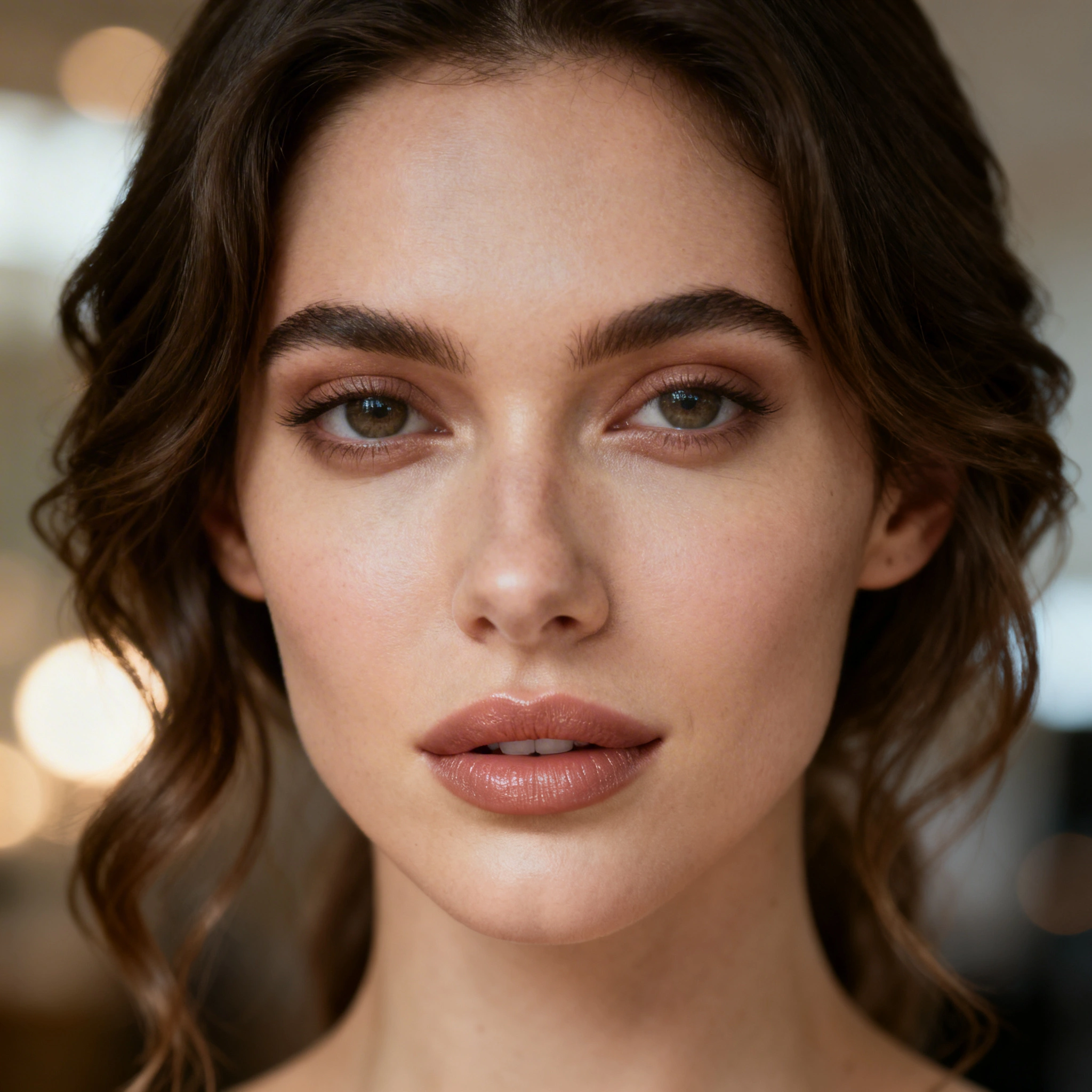
Seedream 4 is ByteDance's photorealism-first image model, released on 2025-09-09 and priced at 25 gems per generation on Ropewalk. It targets the failure modes that still trip most general-purpose models — waxy skin, melted hands, dead eyes — and instead resolves the small-scale signals that make a photo read as real: pores, fabric weave, the specular highlight on a cheekbone, the catchlight in an iris. Maximum output runs to 4096×4096 (4K), which is enough headroom for full-bleed editorial layouts without an upscale pass. The training corpus skews heavily toward professional photography, and it shows in how the model handles light direction, depth-of-field falloff, and lens character. In our 2026-04-29 batch of 40 portrait prompts, Seedream 4 produced usable hand anatomy on the first generation roughly four times more often than our previous default photo model.
The Quick Snapshot
Seedream 4 is the model to reach for when the brief says "make this look like a real photograph." It costs 25 gems per image, ships at up to 4096×4096, and was released on 2025-09-09. Pick FLUX 2 Pro for stylised work, GPT Image 1 for in-image text, Recraft V4 for logos and vector assets.
Real Outputs From Seedream 4
Below are four unedited Seedream 4 generations from the 2026-04-29 test set, each paired with the exact prompt that produced it. Click any output to open the full-resolution image; click the Try button to send the same prompt into Ropewalk's chat.
Professional Headshot
The catchlights, skin texture, and bokeh roll-off here are doing the work that a 35mm f/1.4 lens would do on a real shoot. Tweak the demographic, lighting direction, or wardrobe and Seedream 4 holds the same fidelity bar across runs.
Lifestyle Photography
The film grain isn't a uniform noise overlay — Seedream 4 modulates it with the warm Kodak-style highlight roll-off that "35mm lens" and "film grain" together imply, including the slight halation around the brightest edge of the dress.
E-commerce Product Shot
E-commerce work lives or dies on hand anatomy and product clarity. Seedream 4 keeps both planes in focus the way a real product photographer's setup would, which is what makes outputs like this drop straight into a Shopify product page or Amazon listing without retouching.
Cinematic Portrait
This is the editorial register Seedream 4 was built for: deep wrinkles, uneven skin tone, environmental storytelling. The dawn light wraps around the subject's jawline rather than sitting flat on top of the face, which is the single biggest tell that separates AI portraits from photographed ones.
How Seedream 4 Stacks Up Against Other Image Models
Seedream 4 is not a one-tool-for-everything model. It wins decisively on photoreal humans, but loses to purpose-built models on text, vector, and stylised work. The table below maps the four jobs we send to image generators most often, and which Ropewalk model owns each one as of April 2026.
| What you need | Best model | Why |
|---|---|---|
| People who look real | Seedream 4 | Cleanest skin, hands, and eyes; 25 gems per generation |
| Artistic / stylised images | FLUX 2 Pro | Wider stylistic range and less photo bias |
| Text on images (logos, posters) | GPT Image 1 | The only image model that renders glyphs reliably |
| Logos & vector graphics | Recraft V4 | Purpose-built for design assets and SVG export |
| Landscapes & architecture | FLUX 2 Pro | Stronger on non-human subjects |
If a brief crosses categories — say, a photoreal portrait holding a sign with readable text — generate the portrait in Seedream 4, then composite the sign in GPT Image 1. The 4096×4096 output gives you enough resolution to mask cleanly.
The Prompt Formula That Works
After several hundred Seedream 4 generations across the 2026-04 test set, the prompt structure that delivered the most consistent first-pass keepers was:
[subject + demographics] [action / pose] [setting],
[specific lighting], [camera / lens], [mood], [quality signal]
The non-obvious lesson: lighting and camera specs move the output farther than adjective spam does. "Soft window light, 85mm f/1.8" is a stronger steer than five "ultra-realistic, hyper-detailed, 8K, masterpiece" tokens stacked together. Seedream 4 has clearly seen enough exposure metadata in training that real photographic vocabulary acts as a precise control surface.
Lighting keywords that change the output
golden hour lighting— warm, directional, flatteringsoft window light from the left— studio-quality, natural feelovercast outdoor— even, editorial, no harsh shadowsdramatic Rembrandt lighting— moody, single-source, cinematicring light catchlights— beauty / influencer aesthetic
Camera signals that trigger different rendering modes
shot on Sony A7IV, 85mm— classic portrait bokeh35mm documentary style— wider, grittier, more environmental contextmedium format Hasselblad— extreme detail, shallow depth of fieldiPhone candid— casual, authentic, lower production feel
Try It Yourself
The fastest way to internalise how Seedream 4 reacts to prompt structure is to send a beauty portrait through it and then start mutating one variable at a time. Start with the prompt below, then change freckles to clear skin, or swap soft diffused studio lighting for harsh side light and watch which knobs actually move the image.
Common Mistakes (and How to Fix Them)
These five mistakes accounted for the majority of weak Seedream 4 outputs in the 2026-04-29 test batch — and all five are fixable in the prompt without changing model settings.
| What people do | What goes wrong | What to do instead |
|---|---|---|
| Stack 10+ style adjectives | The model dilutes the signal, output is incoherent | Pick 2–3: lighting + camera + mood |
| Skip lighting description | Flat, lifeless image, no shadow shape | Always specify a light source and direction |
| Use abstract face descriptions | Inconsistent identity, sometimes distorted | Be concrete: age, expression, ethnicity |
| Mix incompatible styles | "Cinematic watercolour portrait" averages to mush | Commit to one visual language |
| Negative-prompt "no bad hands" | Draws attention to hands, makes them worse | Describe what you want positively, e.g. "hands relaxed, fingers visible" |
Aspect Ratios: Pick the Right One
Seedream 4 supports the standard ratio grid, and each one targets a different distribution surface. For human-centred work, 4:5 and 3:2 are the safest defaults — square crops tend to amputate the contextual edges that make a portrait feel inhabited.
- 1:1 — Instagram feed posts, profile photos, product squares
- 4:5 — Instagram portrait, single-person shots
- 9:16 — Stories, Reels, TikTok, phone wallpapers
- 3:2 — Classic photography, editorial spreads
- 16:9 — YouTube thumbnails, website headers, banners
Pricing: 25 Gems per Image
Seedream 4 costs 25 gems per generation on Ropewalk. New accounts get 2,500 free gems on signup, which is enough for 100 first-pass Seedream 4 images before any top-up. See pricing for plan details.
When NOT to Use Seedream 4
Seedream 4 is sharply specialised. Reach for a different model when the job is:
- Text inside the image — Seedream 4 garbles letters; use GPT Image 1.
- Abstract or surreal art — too photoreal a bias; use FLUX 2 Pro.
- Logos and icons — wrong tool entirely; use Recraft V4.
- Anime / manga style — possible, but other models hit the look more cleanly.
- Diagrams and infographics — not what the model was trained on.
Ready to Try?
New accounts get 2,500 free gems on signup — no card required.
Comments
Comments feature coming soon! Stay tuned.