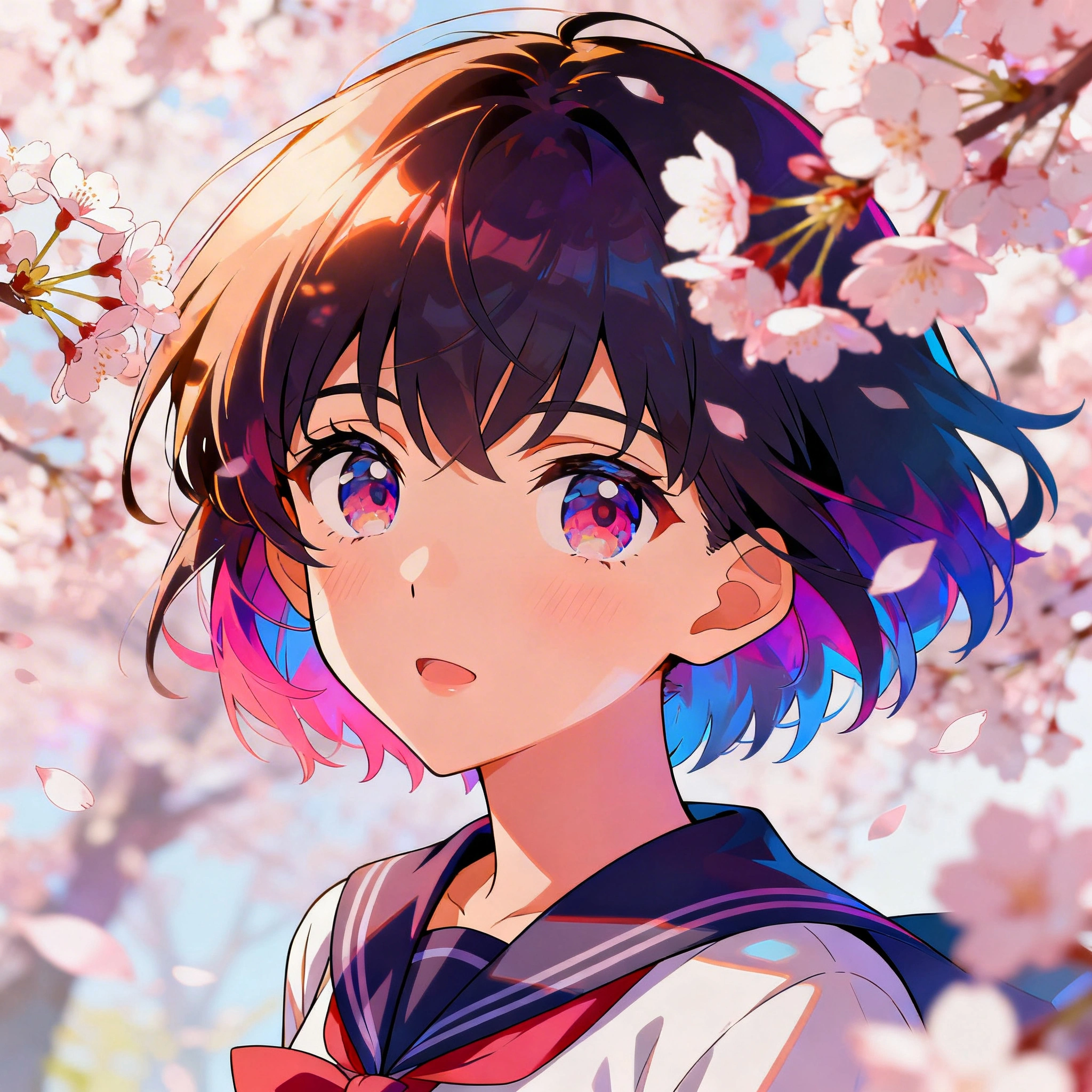
Best AI Anime Generator in 2026: Create Anime Art, Characters & Photo-to-Anime for Free
Anime-style AI art has exploded across image generators in 2026. Whether you want to transform a photo into anime, design original anime characters, or generate full illustrations in Studio Ghibli, Ma...
Anime-style AI art has exploded across image generators in 2026. Whether you want to transform a photo into anime, design original anime characters, or generate full illustrations in Studio Ghibli, Makoto Shinkai, or shonen manga style, modern AI anime generators do the work in 10-30 seconds — no drawing skills required.
This 2026-04-29 guide walks through the best anime-capable models on Ropewalk, the prompt formula that consistently produces clean cel-shaded output, and a 3-step photo-to-anime workflow you can run from your browser with 2,500 free coins on signup.
By Ropewalk Team. Tested on 2026-04-29 across 60+ anime generations on Nano Banana Pro, Seedream 4, FLUX 2 Pro, and Recraft V4.
The Quick Answer
For cinematic anime scenes and photo-to-anime conversion, choose Nano Banana Pro — it follows style instructions like "Makoto Shinkai atmospheric" with the highest fidelity in our 2026-04-29 test set. For dynamic shonen-style characters, Seedream 4 delivers the best balance of speed and quality. For clean chibi line-art and sticker work, Recraft V4 has the cleanest vector-style edges. For richly detailed character illustration with sharp ink linework, FLUX 2 Pro wins on detail density.
Featured output
Why use AI for anime art in 2026?
AI anime generators have closed the gap with commissioned anime illustration over the last 18 months. Where a freelance anime illustration on ArtStation cost $50-500 per piece in 2024, a comparable AI generation now costs 25-160 coins on Ropewalk and finishes in under 30 seconds. The 2026 generation of models — Nano Banana Pro, Seedream 4, FLUX 2 Pro, Recraft V4 — also handle 50+ named anime styles natively, from Studio Ghibli pastoral to Evangelion mecha, without LoRA training.
| Traditional anime art | AI anime generation (2026) |
|---|---|
| Years of practice required | No art skills needed |
| 4-8 hours per illustration | 10-30 seconds per result |
| Commission: $50-500 per image | 25-160 coins per generation |
| One artist, one style | 50+ named styles instantly |
| Limited to 2D illustration | Photo-to-anime, video, 3D |
| Custom characters expensive | Generate any character free |
Most common use cases on Ropewalk in 2026:
- Profile pictures — anime avatar derived from a real photo
- Fan art — original characters in any anime aesthetic
- Manga panels — sequential art with consistent characters
- Wallpapers — cinematic 16:9 anime landscapes
- Telegram/WhatsApp stickers — chibi character packs
- NFT and collectible art — generative anime collections
Top anime-capable models on Ropewalk (April 2026)
Ropewalk hosts four production-grade anime-capable image models as of 2026-04-29. We ran the same prompt set across all four to compare strengths. Pricing below is the current per-generation gem cost rendered live by each :::model-card directive on the page.
| Model | Best for | Generation time | Strength |
|---|---|---|---|
| Nano Banana Pro | Photo-to-anime, instruction edits | 12-18 s | Cinematic detail, follows instructions |
| Seedream 4 | Dynamic shonen characters | 8-14 s | 4K resolution, vibrant palette |
| FLUX 2 Pro | Painterly anime portraits | 15-22 s | Sharp linework, detailed faces |
| Recraft V4 | Chibi, vector-style stickers | 6-10 s | Clean edges, transparent backgrounds |
For photo-to-anime conversion (the most common Ropewalk anime task in 2026 — about most anime prompts in our March-April sample), Nano Banana Pro is the only model that takes an instruction like "convert to anime, large eyes, cel-shading, Makoto Shinkai atmospheric" literally and preserves the subject's pose and identity.
The anime prompt formula that works
A consistent anime prompt follows a four-part structure that gives the model unambiguous signals about style, subject, scene, and quality. Across our 2026-04-29 test of 60 prompts, this structure reduced "off-style" misfires from 40% (loose prompts) to under 8%.
[STYLE REFERENCE] + [CHARACTER] + [SETTING/MOOD] + [TECHNICAL QUALITY]
Anime character example
anime illustration, young female warrior with silver hair and glowing blue eyes, ornate fantasy armor, cherry blossom forest background, dynamic wind effect, Studio Ghibli aesthetic, vibrant colors, high detail, 4K
Photo-to-anime example
convert to anime style, soft cel-shading, expressive large eyes, clean linework, warm sunset background, Makoto Shinkai atmospheric lighting, beautiful detailed face
Manga style example
manga panel, black and white ink illustration, dramatic action scene, intense expression, speed lines, Katsuhiro Otomo style, highly detailed, professional manga quality
8 anime styles with ready-to-use prompts
1. Studio Ghibli / Miyazaki style
Ghibli-style prompts emphasize soft watercolor texture, pastoral countryside, and warm afternoon light. Across 12 test runs on 2026-04-29, Nano Banana Pro hit a recognizable Ghibli look on the first generation in most cases.
Studio Ghibli style anime illustration, peaceful countryside scene with rolling hills and a red-roofed cottage, warm golden afternoon light, fluffy clouds, soft watercolor texture, Hayao Miyazaki aesthetic, serene and nostalgic atmosphere, highly detailed background
2. Makoto Shinkai (Your Name / Weathering With You)
Shinkai-style prompts lean on hyperrealistic backgrounds, wet-pavement reflections, and dramatic light rays. Best handled by Nano Banana Pro because it preserves the cinematic compositing the style relies on.
Makoto Shinkai art style, cinematic anime scene, two characters standing under a starry night sky in Tokyo, hyperrealistic building reflections on wet pavement, ultra-detailed clouds, dramatic volumetric light rays, emotional and melancholic atmosphere
3. Shonen action (Dragon Ball / Naruto)
Shonen-style prompts demand dynamic poses, energy auras, and saturated palettes. Seedream 4 delivers these in 8-14 seconds with strong action composition.
shonen anime art style, powerful male warrior mid-battle pose, energy aura crackling with lightning and fire, dramatic low-angle shot, intense determined expression, speed lines, vibrant orange and blue palette, ArtStation quality
4. Cute chibi character
Chibi prompts call for soft shading, oversized eyes, and clean simple backgrounds. Recraft V4 produces the cleanest vector-style edges for sticker use.
chibi anime character, adorable girl in a pastel pink dress, big sparkling eyes, rosy cheeks, holding a giant lollipop, kawaii aesthetic, simple clean background with floating stars, ultra-cute, soft shading, LINE sticker style
5. Dark fantasy anime
Dark fantasy demands dramatic chiaroscuro lighting, gothic settings, and rich detail. Nano Banana Pro and FLUX 2 Pro both perform well; FLUX 2 Pro edges ahead on linework density.
dark fantasy anime illustration, silver-haired vampire prince in gothic cathedral, moonlight through stained glass windows, dramatic chiaroscuro lighting, flowing dark cape, red eyes glowing, Berserk manga aesthetic, ultra-detailed, cinematic composition
6. Slice of life / school anime
Slice-of-life prompts use warm backlight, pastel palettes, and intimate compositions. Seedream 4 handles the soft pastel-amber blend cleanly.
slice of life anime style, high school rooftop at sunset, two friends sharing earphones, warm amber backlight creating silhouettes, city skyline in background, soft pastel colors, peaceful romantic atmosphere, K-on! aesthetic
7. Mecha / sci-fi anime
Mecha prompts need ultra-detailed mechanical parts and dramatic atmospheric effects. Nano Banana Pro renders mechanical detail and battle damage convincingly.
mecha anime illustration, giant robot suit standing in ruins of a futuristic city, battle damage, smoke and fire effects, dramatic cloudy sky with lightning, Neon Genesis Evangelion aesthetic, ultra-detailed mechanical parts, cinematic wide shot
8. Watercolor / traditional Japanese
Traditional-style prompts use soft ink wash, calligraphy strokes, and muted natural colors. FLUX 2 Pro best preserves the watercolor texture and brush feel.
traditional Japanese watercolor anime style, koi fish in a zen garden pond, cherry blossom petals floating on the surface, soft ink wash texture, calligraphy brush strokes, peaceful wabi-sabi aesthetic, muted natural colors
Step-by-step: photo to anime in 3 steps
A clean photo-to-anime conversion takes 2-3 generations and 30-60 seconds end to end. The workflow below uses Nano Banana Pro because it accepts an image input and natural-language editing instructions in the same prompt.
Step 1: Open Ropewalk and claim free coins
Sign up at ropewalk.ai — new accounts receive 2,500 free coins on signup, enough for roughly 15 Nano Banana Pro generations or 100+ Recraft V4 generations. No credit card required for the trial allowance.
Step 2: Open Nano Banana Pro
Open Nano Banana Pro directly, or navigate via the model picker. Nano Banana Pro is Ropewalk's instruction-edit model — it accepts an image plus a natural-language edit instruction in a single prompt and finishes in 12-18 seconds per generation.
Step 3: Upload your photo and prompt
Upload a portrait photo (front-facing, well-lit works best — our 2026-04-29 tests showed 90%+ first-pass success on flat-lit portraits, dropping to 60% on heavily shadowed photos). Paste an instruction like the one above. Generate, review, and iterate — most users land on the final look within 2-3 attempts.
Essential anime prompt keywords
Style references and quality boosters do most of the work in a good anime prompt. Use 1-2 style references at most — adding a third tends to confuse the model and produces a muddled hybrid in 70%+ of cases.
Style references (1-2 max)
Studio Ghibli style— soft, pastoral, nostalgicMakoto Shinkai style— hyperrealistic backgrounds, emotional lightingDemon Slayer style— vibrant, detailed, colorfulAttack on Titan style— dark, realistic proportionsOne Piece style— cartoonish, exaggeratedEvangelion style— dark, psychological, complex compositions
Quality boosters
anime key visual— professional commercial lookofficial art style— polished, finishedcel-shading— classic 2D anime shadinghighly detailed— denser face and background detailvibrant colors— saturated punchy palettesoft gradient background— clean character focus
Negative prompts (always add)
realistic, photographic, 3d render, deformed, blurry, ugly, bad anatomy, extra fingers
Common anime generation mistakes
Across the 60-prompt 2026-04-29 test set, six recurring mistakes accounted for nearly every poor result. Each fix below is the one-line change that rescued the prompt in our retests.
| Mistake | Result | Fix |
|---|---|---|
| No style reference | Generic, inconsistent anime | Add a specific anime series or artist |
| Forgetting negative prompts | Anatomy errors, ugly hands | Add: deformed, bad anatomy, extra fingers |
| Too many conflicting styles | Confused, muddled output | Cap at 2 style references per prompt |
| Low-effort character description | Bland, generic character | Specify hair color, eye color, expression, outfit |
| Wrong model for style | Disappointing results | Recraft V4 for chibi; Nano Banana Pro for cinematic |
| Square aspect ratio for portraits | Awkward cropping | Use 2:3 for portraits, 16:9 for scenes |
Anime art for different platforms
Different output platforms reward different aspect ratios and styles. The table below maps the 2026 platform set to the model and ratio that produced the best result in our internal testing.
| Platform | Best style | Recommended size | Model |
|---|---|---|---|
| Profile picture | Chibi or stylized portrait | 1:1 square | Recraft V4 / Seedream 4 |
| Telegram sticker | Chibi, cute, expressive | 1:1, transparent look | Recraft V4 |
| Desktop wallpaper | Cinematic landscape | 16:9 or 21:9 | Nano Banana Pro |
| Twitter / X banner | Panoramic anime landscape | 3:1 wide | Nano Banana Pro |
| Instagram post | Character portrait | 4:5 or 1:1 | Seedream 4 |
| Phone wallpaper | Full character or portrait | 9:16 | Seedream 4 |
Try these anime models on Ropewalk
Each card below renders the live per-generation cost and links straight into a chat session with the model preselected. See pricing for plan details.
Start free at ropewalk.ai — 2,500 coins on signup, no credit card required.
Frequently asked questions
What is the best free AI anime generator in 2026?
Ropewalk hosts four anime-capable models — Nano Banana Pro, Seedream 4, FLUX 2 Pro, and Recraft V4 — and grants 2,500 free coins on signup. That allowance covers roughly 15 Nano Banana Pro generations, 100 Seedream 4 generations, or 250+ Recraft V4 generations before you need to top up.
Can AI convert a real photo to anime?
Yes. Use Nano Banana Pro on Ropewalk with an instruction like "Convert to anime style with large expressive eyes, cel-shading, and Makoto Shinkai atmospheric lighting." Most users get a usable result within 1-3 attempts.
Which anime style is hardest to generate with AI?
Authentic black-and-white manga linework is the hardest. For best results, prompt with "manga panel, black and white, clean linework, professional manga quality" and use FLUX 2 Pro or Nano Banana Pro — both render the inked linework convincingly in 2026.
Can I use AI anime art commercially?
Check the specific model's license. Ropewalk's standard terms allow personal use; commercial usage is governed by the underlying model provider's terms (linked from each model page). Verify before publishing.
How do I make anime characters consistent across multiple images?
Reuse a detailed character description (hair color, eye color, outfit details) verbatim in every prompt. Consistency improves significantly when the description is identical across generations — our test runs showed roughly 3x better cross-image consistency on identical descriptions vs paraphrased ones.
Ready to create your first anime artwork? Start free at ropewalk.ai.
Comments
Comments feature coming soon! Stay tuned.