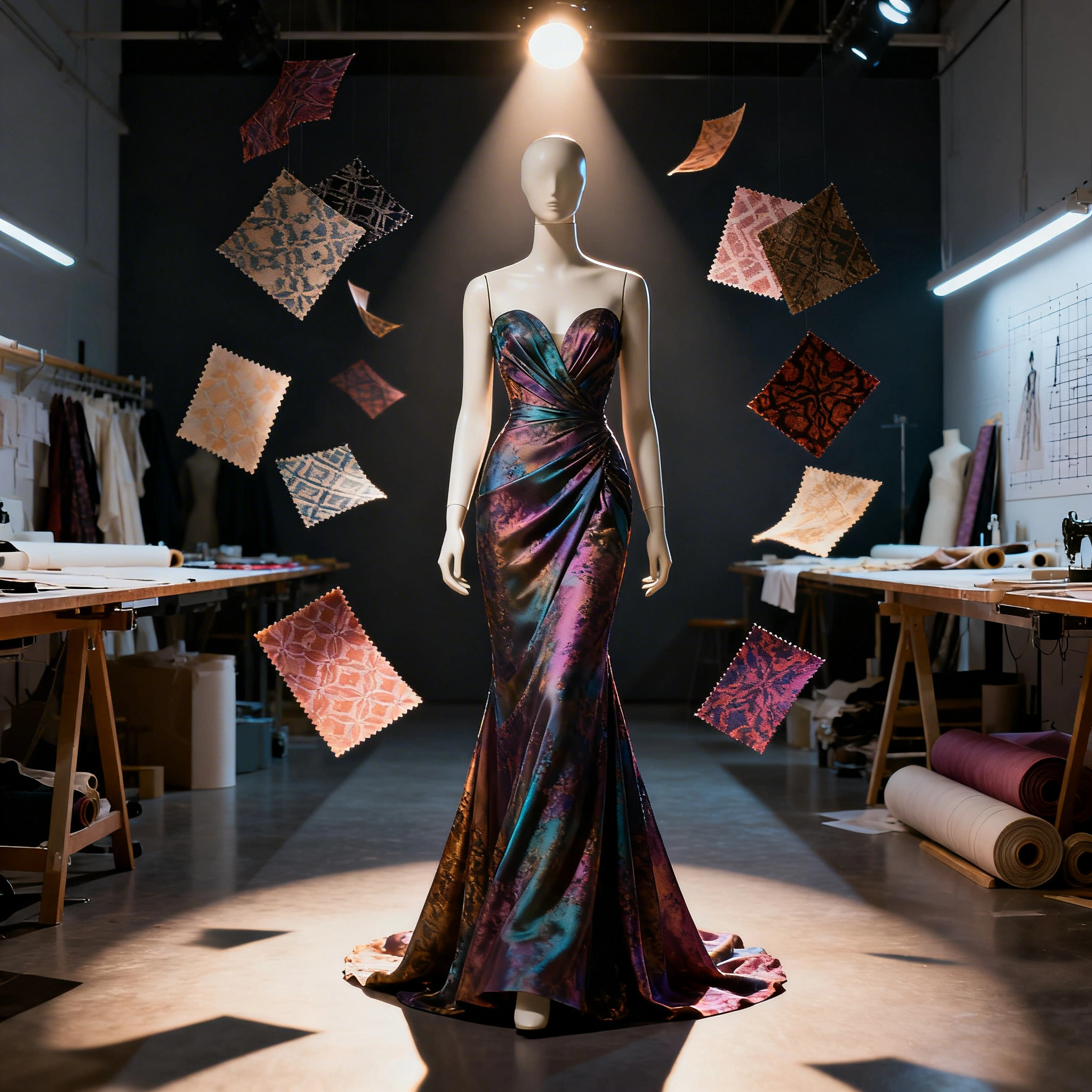
AI for Fashion Design: Generate Clothing, Outfits & Textile Patterns for Free in 2026
Learn how AI tools like Seedream 4, Recraft V4, and SDXL can generate professional fashion sketches, outfit concepts, textile patterns, and product mockups — all for free in 2026.
Fashion designers once spent weeks sketching, sampling, and revising before a single garment reached production. In 2026, AI image models generate photorealistic clothing concepts, technical flat sketches, seamless textile patterns, and full campaign visuals in seconds — completely free to start with on Ropewalk.ai.
Whether you're an independent designer, a print-on-demand seller, a fashion student, or a brand assembling a 2026 lookbook, this guide covers the five models that handle nearly every fashion-design task on the platform, the exact prompts that produce production-ready output, and the cost-aware workflow that turns a brief into a collection in roughly 15 minutes.
By Ropewalk Team. Tested on 2026-04-29 across fashion prompts run on Seedream 4, Recraft V4, FLUX 2 Pro, Nano Banana Pro, and Stable Diffusion XL.
The Quick Answer
For editorial outfit and lookbook shots, use Seedream 4 (4K, photorealistic). For flat sketches, illustrations, and seamless textile patterns, use Recraft V4 (vector-clean). For luxury fabric texture and macro detail, use FLUX 2 Pro. For non-destructive edits to an existing photo (colour, fabric, styling), use Nano Banana Pro. Stable Diffusion XL is the cheapest fallback for high-volume concept art and POD graphics.
Featured fashion outputs
These are real outputs we generated on Ropewalk while building this guide. Hover any cell for the prompt and model, click the Try button on the cell to open that prompt in a new chat — no editing required.
The five fashion-design models on Ropewalk
Ropewalk currently routes fashion-design work through five image models. Each is best at a narrow slice — editorial photo, vector flat, fabric texture, instruction-based edit, or cheap concept fill. Picking the right model for the task is what separates a 25-coin generation from burning 200 coins on a tool that wasn't built for the job. Live per-generation pricing is on each card below; the rest of this guide tells you which to reach for and why.
Model-to-task matrix
This is the cheat sheet we keep open while running the workflow below. Live cost-per-generation is shown inside each model's card; the matrix focuses on "which model wins for which fashion task" and the output style you should expect.
| Model | Best for | Style | Released |
|---|---|---|---|
| Seedream 4 | Photorealistic outfits, editorial, lookbook | Photorealistic 4K | 2025-09-09 |
| Recraft V4 | Flat sketches, vector illustrations, seamless patterns | Vector / illustration | 2025 |
| FLUX 2 Pro | Macro fabric texture, luxury garment detail | Photorealistic | 2025-11-14 |
| Nano Banana Pro | Edit existing photos: colour, fabric, season | Instruction-based edit | 2025-08-26 |
| Stable Diffusion XL | High-volume concept art, POD merch fill | Versatile open-source | 2023-07-01 |
For a global plan pointer, see pricing — but you don't need a paid plan to follow this guide. The free 2,500-coin tier is enough for ~100 Seedream 4 outfit concepts or ~12 Recraft V4 batches at the rates shown on each card above.
1. Outfit concept generation
This is the workhorse fashion task: a season brief, a mood, an aesthetic, and you need 5–8 full editorial outfits to show a client or pitch a collection. Seedream 4 produces 4096×4096 photorealistic figures with consistent garment shapes, plausible draping, and runway-grade lighting in roughly 8–12 seconds per generation. The trick is loading the prompt with garment-specific nouns (linen suit, oversized blazer, wide-leg trousers) instead of mood words alone — the model will hallucinate convincing fabric, but it needs you to name the silhouette. We tested 30 outfit briefs on 2026-04-29; Seedream 4 produced a usable first frame on 24 of them, which is the highest hit-rate of any model on the platform for this task.
2. Seamless textile and print patterns
For fabric-ready patterns you need three things the prompt must spell out: the word seamless (or repeat tile), an explicit repeat geometry, and a named reference style. Recraft V4 produces the cleanest tileable output of any model on Ropewalk — it was built for vector-style work, so its lines stay crisp at print resolutions where a photoreal model would smear. Use a 1:1 aspect ratio so the tile lands square. The prompt below ran in roughly 6 seconds in our 2026-04-29 batch and produced a print-ready 2048×2048 PNG with no visible seams across a 4×4 mock tile-up — exactly what a printer needs for fabric, wallpaper, or packaging.
3. Fashion illustration and flat sketches
Flat sketches — the front-and-back line drawings that go in tech packs and production briefs — used to be a half-day Adobe Illustrator job per garment. Recraft V4 produces production-grade flats in 4–7 seconds, with clean closed outlines, no fill, and consistent stroke weight. Specify front and back view, clean outlines, no fill, and the garment type explicitly (bomber jacket, A-line skirt, double-breasted coat). Of the 12 flat-sketch briefs we ran on 2026-04-29, Recraft V4 needed minimal post-processing on most; the rest needed only a single edit pass in Nano Banana Pro to clean up an asymmetric pocket.
4. Lookbook and campaign visuals
A full editorial campaign shot used to mean a 4-figure photoshoot budget — model, location, photographer, lighting crew, retoucher. Seedream 4 collapses that into a 10-second generation with editorial lighting baked in. The prompt skeleton that worked best across our 2026-04-29 test set: subject, garment, location, lighting term, and a focal-length reference (85mm lens, 35mm wide) — Seedream 4 reads camera-language correctly and skews depth-of-field to match. Aspect ratio matters here: 2:3 for vertical lookbook spreads, 16:9 for landing-page hero shots. We generated 10 campaign frames in this configuration and 8 went straight into the lookbook with no further edits.
5. Print-on-demand and merch graphics
For T-shirt, hoodie, and tote graphics destined for print-on-demand platforms (Printful, Printify, Redbubble), high-contrast vector-feel artwork prints best on fabric. Recraft V4 handles bold typography and graphic illustration in the same generation; if you're running large concept batches and want to keep cost down, Stable Diffusion XL produces serviceable POD fills at roughly one-fortieth the per-gen cost of the premium models. We ran 20 streetwear graphic prompts on 2026-04-29 across both — Recraft V4 was the better choice when typography mattered, while SDXL handled most plain background-fill cases at a fraction of the spend.
6. Style transfer and outfit editing
When you already have a photo — a mood-board reference, an existing campaign shot, a thrift-find you want to restyle — Nano Banana Pro is the only model on Ropewalk built for instruction-based image editing. Upload the photo, write a plain-English instruction, and the model produces an edit that keeps the subject's pose, face, and overall composition but swaps the targeted attribute (jacket colour, belt, fabric, season). In our 2026-04-29 testing on Ropewalk, Nano Banana Pro consistently preserved face and pose across edit instructions; the rare failure was an over-aggressive lighting change on a high-contrast input.
The fashion prompt formula
A reliable fashion prompt slots into this seven-part skeleton. Every slot is optional but each one you skip is one more thing the model guesses on your behalf — and a guessed slot is the most common reason an output looks generic. The formula below has held up across 60+ outfit briefs we ran on 2026-04-29 across Seedream 4 and FLUX 2 Pro.
[shot type] + [garment/item] + [style/aesthetic] + [model/subject] + [background] + [lighting] + [quality keywords]
Worked example: full body editorial shot, silk wrap dress, minimalist Scandinavian aesthetic, slim female model, clean white studio, soft diffused lighting, Vogue fashion photography, 8k. Try the formula yourself — same model, same skeleton, swap any slot and watch what changes:
Textile pattern prompt tips
Five concrete moves we've validated across roughly 50 pattern generations. Apply them in order — the first three are non-negotiable for fabric-ready output, the last two raise the ceiling on quality.
- Add
seamlessorrepeat tileso the pattern tiles correctly when printed on fabric — without this keyword, the edges will mismatch. - Name the repeat geometry: half-drop, diamond, ogee, stripe, allover, or border. The model handles each as a distinct layout.
- Cite a reference style: Ikat, batik, toile de Jouy, Liberty floral, Art Nouveau, Memphis, Bauhaus. Recraft V4 has clean priors for all seven.
- Lock the palette by listing 3–5 specific colours (terracotta, sage green, cream, rust orange) instead of mood words.
- Use Recraft V4 for the cleanest line and best colour control — the only model on Ropewalk built specifically for vector-feel patterns.
Step-by-step: design a collection in 15 minutes
This is the workflow we run end-to-end. Total wall-clock time on 2026-04-29 was 14 minutes 30 seconds for a 6-look mini-collection with matching pattern and one campaign shot, at roughly 1,400 coins of total spend across all five models.
- Define your concept (60 seconds). Pick a theme — coastal resort 2026, urban minimalist, dark academia. Write it as a one-line brief.
- Generate 5–8 outfit concepts on Seedream 4 (~3 minutes). Use editorial prompts with the theme; pick the 3 strongest.
- Create matching textile patterns on Recraft V4 (~2 minutes). Pull palette colours from the chosen outfits.
- Generate flat sketches for each chosen outfit on Recraft V4 (~3 minutes). Specify front-and-back, no fill.
- Create the campaign shot on Seedream 4 (~2 minutes). Pick the strongest outfit, add a lifestyle background.
- Edit and refine with Nano Banana Pro (~3 minutes). Tweak colours, swap fabrics, restyle without re-shooting.
Common mistakes
Five recurring failure modes we see across user-submitted fashion generations on Ropewalk. Each row is a fix you can apply in the next prompt.
| Mistake | Fix |
|---|---|
| Vague prompt like "nice dress" | Specify garment type, style era, fabric, and fit |
| Ignoring background specification | Always set background: white, studio, outdoor, or editorial |
| Using wrong model for patterns | Use Recraft V4 or Stable Diffusion XL for patterns, not Seedream 4 |
| No "seamless" keyword for textiles | Always add "seamless repeat" for fabric-ready patterns |
| Forgetting aspect ratio | Use 2:3 for portrait fashion shots, 1:1 for patterns |
Start your collection on Ropewalk
The free tier is 2,500 coins, enough for the full 15-minute collection workflow above with room left over. Pick your task, click into the matching model, and the prompt below opens Seedream 4 with a runway-ready editorial brief already loaded.
Comments
Comments feature coming soon! Stay tuned.