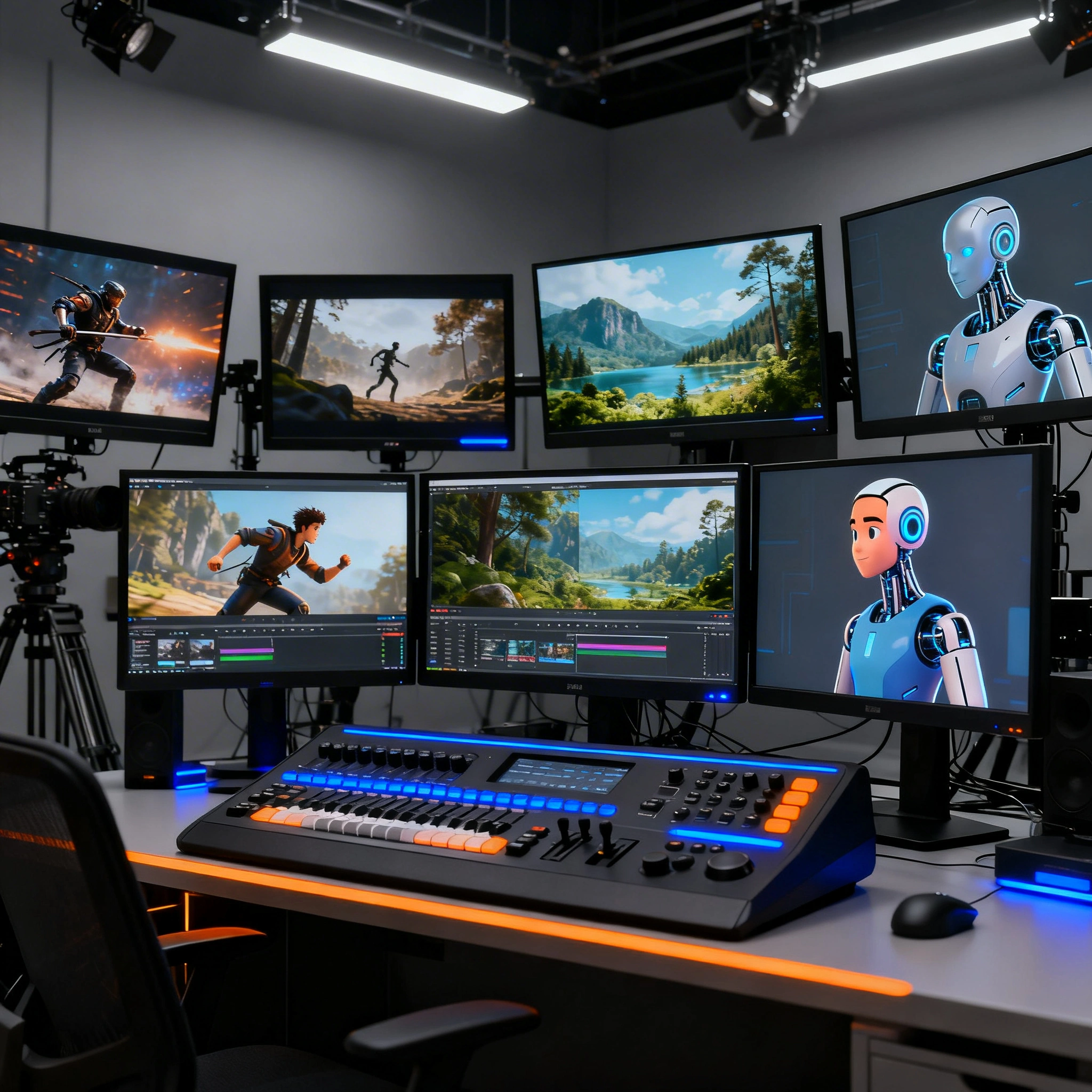
AI Video Generation in 2026: A Practical Guide to the Best Models
A practical guide to the six best AI video generation models in 2026 — Wan 2.5, Seedance, Luma Ray 2, Kling, MiniMax/Hailuo, and Runway Gen-3. Learn what each model excels at, how to get started, and steal five ready-to-use starter prompts.
AI Video Generation in 2026: A Practical Guide to the Best Models
AI video generation has quietly crossed a threshold. What felt like a party trick two years ago — blurry clips, melting hands, subjects that drift across frames — now produces footage that stops people mid-scroll. In 2026, the question isn't "can AI make video?" It's "which model should I use, and how do I get great results fast?"
This guide covers six models available on Ropewalk.ai: Wan 2.5, Seedance 1.5 Pro, Luma Ray 2, Kling, MiniMax/Hailuo, and Runway Gen-3. Each section breaks down what the model actually excels at, how to get started without wasting credits, and the prompting habits that separate mediocre output from genuinely impressive results in 2026.
By Ropewalk Team. Written 2026-04-29 across six production video models, with prompt examples drawn from real generations on the platform.
The Quick Answer
For cinematic realism, choose Wan 2.5. For the most photorealistic film-grade lighting, Luma Ray 2. For raw motion physics — waves, explosions, chase shots — Kling. For consistent characters across a clip, Seedance 1.5 Pro. For stylized or anime-influenced looks, MiniMax/Hailuo. For director-grade control inside a production pipeline, Runway Gen-3.
Why 2026 Is a Turning Point
The video models released across 2025 and early 2026 share a few traits that earlier generations lacked: consistent subject identity across frames of 5–10 seconds, much better physics (water actually moves like water, fabric folds plausibly), and a sharper understanding of camera language — push-ins, rack focuses, tracking shots. Cinematographers who tested 2024 versions and shrugged are now paying close attention.
At the same time, the barrier to entry has dropped dramatically. A creator no longer needs a GPU cluster or a production-studio budget — a browser tab and a careful prompt will produce 1080p clips in under 60 seconds on most of the six models in this guide. That shift, more than any single capability win, is what makes 2026 the breakout year.
Top Picks: Our Recommended Models
Before the deep dive, here are the three models worth starting with — each leads in its category and covers more than 80% of the workflows we see on Ropewalk.ai:
The Models: What Each One Does Best
Wan 2.5 — The Workhorse with Range
Made by: Alibaba
Best for: Cinematic realism, complex motion, longer clips, Chinese-language prompts
Wan 2.5 is the model to reach for when the goal is footage that could plausibly belong in a feature film. The model handles complex motion sequences exceptionally well — a dancer mid-spin, water pouring into a glass, a car navigating a rain-slicked street at night. Released in late 2025, Wan 2.5 was trained heavily on real-world physics data, and 5–10 second clips show it.
One underrated strength: Wan 2.5 responds remarkably well to Chinese-language prompts, sometimes producing noticeably better results than equivalent English prompts. Bilingual creators or teams working with a translator should test both in 2026 — the gap can decide whether a 5-second shot looks usable.
What to watch out for: Wan 2.5 can be slower to generate than some competitors, with 10-second clips taking up to 90 seconds on busy days. The model is also conservative with stylized or fantastical content — for neon-soaked cyberpunk or dreamlike surrealism in 2026, MiniMax and Kling pull ahead.
Getting started: Start with a scene you'd describe to a cinematographer. "Close-up of a woman's hands kneading bread dough in a rustic kitchen, warm morning light from a window, steam rising" is the kind of 1-shot prompt where Wan 2.5 shines.
Seedance — Speed Meets Coherence
Made by: ByteDance
Best for: Social media content, rapid iteration, character consistency
Seedance 1.5 Pro is ByteDance's answer to one of AI video's oldest frustrations: characters that drift. A character shown in frame one subtly transforms by frame ten — wrong hair color, different jaw, changed outfit. Seedance 1.5 invested heavily in solving this in 2026, and the results show: character consistency across a 5–8 second clip is noticeably better than most competitors in side-by-side tests.
The generation speed is also a practical advantage in 2026. For creators running multiple concepts, testing 3–4 variations of a prompt, or producing at volume, Seedance throughput on Ropewalk.ai often comes in under 40 seconds per 5-second clip — fast enough to iterate inside a single working session.
What to watch out for: Highly detailed background environments can sometimes feel slightly flat. If a 2026 concept depends on a richly textured atmospheric world rather than a compelling character or motion, the output may need a second pass. Check carefully before locking the take.
Getting started: Describe the character once, clearly and specifically, before getting into action. "A young woman with short red hair and a leather jacket, standing in a subway station" — a 1-sentence character lock first, then the motion.
Luma Ray 2 — The Visual Quality Benchmark
Made by: Luma AI
Best for: Photorealistic output, creative direction, high-fidelity stills-to-video
Luma Ray 2 sits at the top of the photorealism tier in 2026. A frame handed to a viewer cold can be hard to identify as AI-generated. The model has a particular gift for lighting that feels physically accurate — the way light wraps around a face, diffuses through curtains across a 6-second pan, or reflects off wet pavement at a 35mm-equivalent focal length.
Ray 2 also handles creative direction well in 2026. Tell the model to use a specific cinematic look — anamorphic lens flare, a desaturated film noir palette, the warm grain of Super 16 — and Ray 2 will attempt to honor that with more fidelity than most other 2026 video models.
What to watch out for: Ray 2 can lean toward a slightly "polished" aesthetic that may feel too slick for gritty or raw content. Like most photorealistic 2026 models, Ray 2 occasionally struggles with very unusual subjects that fall outside its training distribution — expect most generations to need a re-run on edge-case subjects.
Getting started: Borrow language from real cinematography. "EXT. CITY STREET - NIGHT — wide shot, neon reflections on wet pavement, a lone figure walks away from camera, anamorphic widescreen" will get you further than a generic 1-line description.
Kling — Motion Physics Champion
Made by: Kuaishou
Best for: Action sequences, fluid motion, dynamic camera movement
Kling has built a reputation specifically around motion. While other 2026 models are catching up, Kling remains one of the most reliable choices for content where physics and movement are the star: waves crashing, explosions, sprinting athletes, cars in chase sequences, or objects in freefall over 4–6 seconds. The motion feels weighted and physically plausible in a way that still trips up competitors.
Camera movement is another standout for Kling in 2026. Sweeping tracking shots, dramatic crane moves, fast pans of 60–90 degrees that don't smear — Kling handles kinetic energy better than almost anything else in the market today, including most legacy 2024 models that haven't caught up.
What to watch out for: Character faces in close-up can sometimes feel slightly less polished than body motion. Kling is at its best when the camera has room to move and subjects are mid-action rather than still — keep the action in the frame for 3 of 4 seconds.
Getting started: Lead with the motion. "Massive ocean wave crashing over rocky coastline, slow motion, spray catching afternoon light, low angle camera" plays directly to Kling's 2026 strengths.
MiniMax / Hailuo — Creative Flexibility
Made by: MiniMax
Best for: Stylized content, diverse creative styles, short-form video
MiniMax (distributed under the Hailuo brand in some 2026 markets) offers something the photorealistic models often sacrifice: stylistic range. Where Ray 2 and Wan 2.5 are tuned for realism, MiniMax handles stylized aesthetics — anime-influenced visuals, painterly landscapes, graphic novel looks — with a fluency that makes it genuinely useful for creative work in 2026 that doesn't want to look like stock footage.
For short-form content — social clips, ads, concept videos under 10 seconds — the MiniMax combination of speed (typically 30–50 seconds per render in 2026), visual distinctiveness, and style range is hard to beat. A creator producing 5–10 short stylized clips per week will often default to MiniMax for the iteration loop alone.
What to watch out for: The stylistic flexibility is also a double-edged sword: prompts that are too vague can produce outputs that feel inconsistent in visual language across 5–8 seconds. The more specific the intended aesthetic, the better the 2026 results.
Getting started: Define the aesthetic early. "Lo-fi animation style, soft muted colors, a cat sleeping on a windowsill while rain falls outside, Studio Ghibli mood" tells MiniMax exactly what register the prompt is working in.
Runway Gen-3 — The Director's Tool
Made by: Runway
Best for: Narrative sequences, control and precision, professional workflow integration
Runway has spent years building tools for working creators, and Gen-3 reflects that DNA in 2026. Gen-3 gives the most granular control over the output: camera motion descriptors, motion intensity sliders, reference image inputs. For a creator treating AI video generation as one step in a larger production workflow rather than a one-shot output machine, Gen-3 is built for exactly that 2026 use case.
Gen-3 also handles narrative continuity unusually well — multiple clips of 5–8 seconds each that feel like they belong to the same scene, consistent lighting and color grading, a coherent visual world across 3–5 sequential shots. That makes Gen-3 the model of choice for short-form narrative work in 2026.
What to watch out for: Gen-3's strength is control, which means it also demands more from the operator. Sparse 1-line prompts produce mediocre results. A 2-paragraph prompt with explicit shot, lens, and motion details typically beats a 1-sentence brief by a wide margin in 2026 testing.
Getting started: Think in shots, not descriptions. "Medium shot of a detective examining a crime scene photo on a corkboard, fluorescent overhead light, slight handheld camera motion, muted yellow-green color grade" is a 2026 starting point Gen-3 can work with.
How to Actually Get Good Results
Start with a Reference Point
The single most effective prompt habit in 2026 is to anchor your visual description to something real. Mention a specific film, a photographer, a visual style. "Shot on 35mm like early 90s Hong Kong cinema" tells a model more than "cinematic and beautiful." Don't assume the model will interpret vague aesthetic language generously — be explicit, every time.
Describe the Camera, Not Just the Subject
Most beginners describe what's in the scene. Better 2026 results come from describing how the audience is watching it. Focal length, camera distance, camera movement, and lens characteristics are all valid prompt inputs and dramatically affect the feel of the output. A "wide establishing shot" and a "tight close-up" of the same subject will feel like 2 completely different clips.
Control Motion Explicitly
If something should move — specify how. "A woman walks across the street" might produce walking, standing, or a static 5-second shot depending on the model's inference. "A woman walks briskly left to right across a busy urban intersection, coat catching the wind" leaves much less to chance in 2026.
Iterate Fast, Commit Slow
Treat the first generation as a rough test, not a final output. Generate 2 or 3 variations with slightly different prompts or parameters. Identify which elements are working (the lighting, the mood, the camera angle) and which aren't (the motion, the subject's face). Then rebuild a refined prompt that keeps the wins and addresses the misses — typically within 4 iterations.
Match the Model to the Job
Picking a single favorite model and using it for everything is tempting in 2026 — resist. The practical workflow on Ropewalk.ai is model selection first — run the mental checklist: Is the clip about motion? → Kling. Photorealistic quality? → Ray 2. Character consistency? → Seedance. Creative or stylized? → MiniMax. Production workflow? → Runway Gen-3. General cinematic? → Wan 2.5.
Prompt Showcases: See What's Possible
Here are 3 fully-worked examples from 2026 showing what a well-crafted prompt can produce — along with a button to try each one yourself.
5 Starter Prompts to Run Right Now
These 5 prompts are ready to use. Copy, paste, and adjust the details to fit a 2026 project.
1. Product Showcase (Wan 2.5)
Slow push-in on a glass perfume bottle sitting on a white marble surface, soft diffused light from the left, tiny reflections moving across the glass, shallow depth of field, camera drifts slightly forward over 5 seconds
2. Social Media Character Clip (Seedance)
A young man in his late 20s with curly dark hair and a grey hoodie sits at a cafe table, laughs at something on his phone, looks up at camera, warm indoor light, shallow depth of field, relaxed handheld feel
3. Cinematic Night Scene (Luma Ray 2)
EXT. EMPTY CITY INTERSECTION — NIGHT. Rain falling. Wide shot looking down a boulevard of streetlights and neon signs. A black sedan drives slowly through the intersection, headlights cutting through the rain. Anamorphic lens, 2.39:1 aspect ratio, muted blue-grey palette.
4. Action Sequence (Kling)
Slow-motion crash of a large ocean wave against a wooden pier, water exploding upward in fine spray, late afternoon golden light backlighting the water droplets, low angle looking up, handheld shaky camera, dramatic and visceral
5. Stylized Short (MiniMax/Hailuo)
Looping animation of a small illustrated fox sitting under a giant mushroom during a light rainstorm, drops falling in perfect arcs, soft pastel colors, warm glow from inside the mushroom, whimsical and peaceful, Studio Ghibli-inspired aesthetic
A Few Things Worth Knowing
Resolution and length: Most 2026 models on Ropewalk.ai generate clips in the 5–10 second range by default at 1080p. For longer content, plan the shots and stitch in post — a clean cut between 2 well-matched clips is almost always better than forcing a single extended generation past the model's native length.
The prompt is not a search query: These 2026 models respond to descriptive, sensory language — texture, temperature, weight, light direction, sound implied by the scene. Write like a creator briefing a DP, not entering a search term — a 3-line sensory description beats a 5-keyword list every time.
Aspect ratio matters: Think about where the content lives before generating. Vertical 9:16 for Reels and TikTok, horizontal 16:9 for YouTube and presentations, 2.39:1 for cinematic work. Specifying the ratio in a 2026 prompt will typically produce cleaner results than cropping after the fact.
Iteration is the skill: The creators producing impressive AI video in 2026 aren't necessarily better at writing prompts — they're better at iterating. The strongest creators generate more, discard more, and refine faster across 4–8 takes. Budget time for that loop.
Gallery: What AI Video Can Do in 2026
A curated selection of outputs across all six models — hover over each to see the prompt that created it.
Getting Started on Ropewalk.ai
Ropewalk.ai gives access to all 6 models in one place, without separate accounts or different interfaces. The practical 2026 flow:
- Choose your model based on the checklist above
- Write a prompt using the principles in this guide
- Generate a test clip — don't over-invest in the first attempt
- Evaluate and refine — identify what's working before adjusting
- Scale — once a prompt direction is working, push it further
The gap between "I tried AI video and it was mediocre" and "I use AI video regularly and the output is genuinely impressive" in 2026 is almost entirely in the prompting and iteration habits. The models are ready. The remaining question is whether the workflow is in place to get the best out of them.
Start with one of the prompts above. See what comes back. Adjust one thing. Generate again. That's the whole loop — and it's faster than it sounds.
Comments
Comments feature coming soon! Stay tuned.